

More than two years ago I wrote this post explaining the concept of Partner Sandbox Environments and providing the link to use in order to ask for its activation.
This was a post with a lot of readers that generated lots of questions and after more than 2 years I’m sometimes receiving questions from partners around this topic. I see that often questions are related to the Tenant ID asked in the request form:
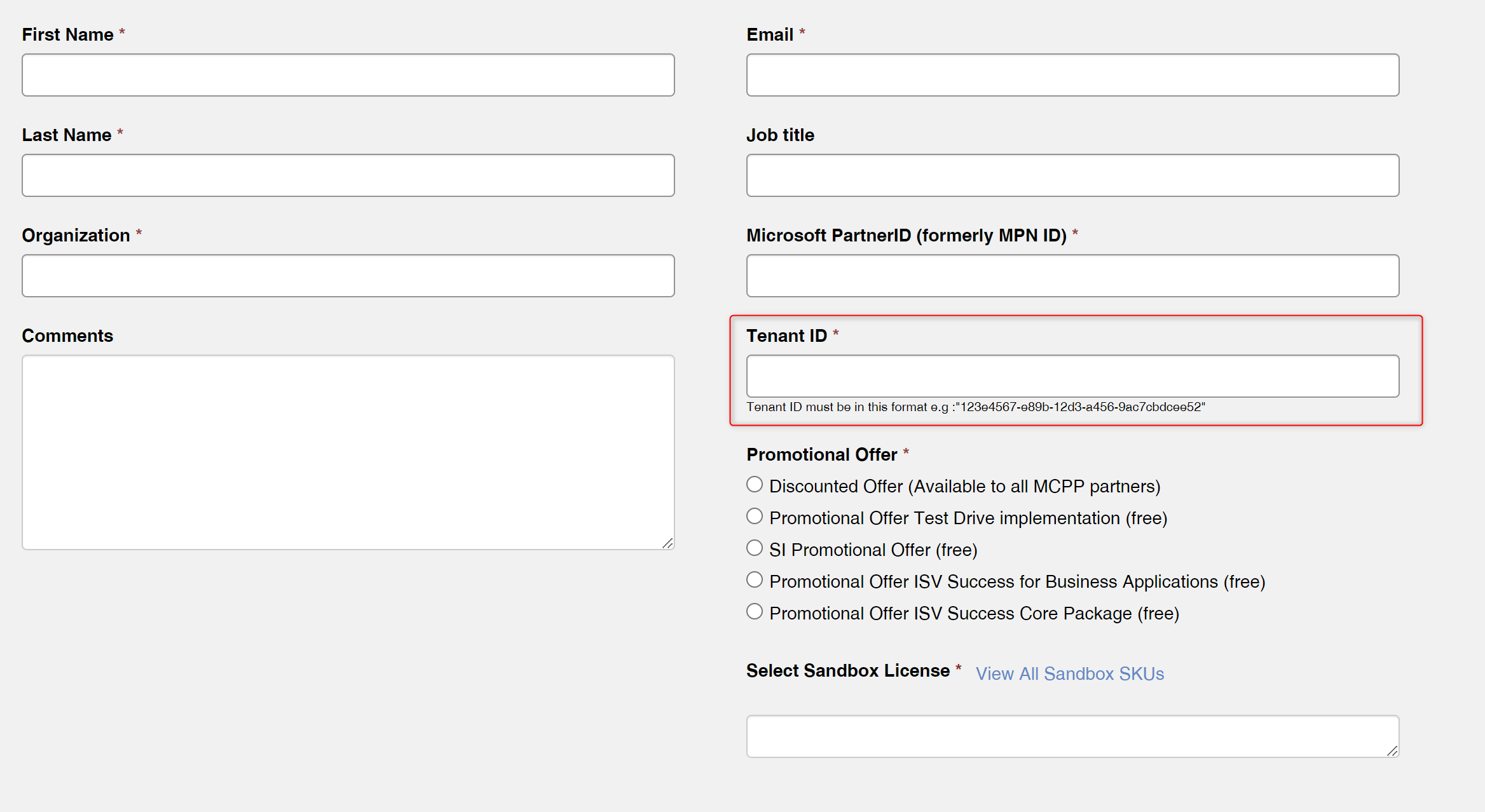
Questions I’m often receiving (also in these days from some of you) are the following:
- Do I need to create a new Entra tenant in order to have the Partner Sandbox Environment?
- Can I use the Partner Sandbox Environment in my current Dynamics 365 Business Central tenant?
- What happens if in the Tenant ID field of the request form I’m using my current tenant ID? Will I have problems with my current Dynamics 365 Business Central Production environment?
Let’s try to do a bit of clarification with this quick post…
Partner Sandbox Environments are not additional environments that you can add to a tenant (new or existing) but instead they are simply licenses that, when activated, they can be assigned to your users via the Microsoft 365 Admin Center exactly like normal licenses. The Partner Premium sandbox license includes all the BC premium features (Essential features + Manufacturing and Service Management).
Do I need to create a new Entra tenant in order to have the Partner Sandbox Environment?
No. You’re nor forced to create a new Entra tenant in order to use Partner Sandbox Environment licenses. This is a choice that’s up to you.
If you create a new Entra tenant without any assigned license, when you request Partner Sandbox Environment licenses for that tenant (filling the Tenant ID field of the request form with this new value) you will have a fresh new Dynamics 365 Business Central tenant with 1 Production + 3 Sandbox environments. Then you can assign to users the Partner Sandbox Environment licenses accordingly.
Can I use the Partner Sandbox Environment in my current Dynamics 365 Business Central tenant?
Yes. If on the Partner Sandbox Environment request form you fill the Tenant ID field with the value of your current Entra tenant (where you have paid licenses and/or free trial licenses), the new Partner Sandbox Environment licenses will be available for users on that tenant. You will not have any additional environments but you can still using your existing environments (no impact on them). You can simply assign the newly acquired licenses as usual to your users (also replacing existing licenses).
Just remember that Partner Sandbox licenses are strictly meant for use only on the partner’s tenant.
What happens if in the Tenant ID field of the request form I’m using my current tenant ID? Will I have problems with my current Dynamics 365 Business Central Production environment?
No. As explained before, there’s absolutely nothing done at the environment level (no environment transfer to a new tenant, no additional environments added). It’s just a new full license added to your available licenses.
Can I test Team Members with Partner Sandbox Environment licenses?
No. Team Member license and Device license are not available.


This application form cannot be filled out, how do you do it?
LikeLike
Is it not working for you?
LikeLike
Could you explain how this application form works? Selection in Select Sandbox Could you explain how this application form works? Selection in Select Sandbox License field does not work. If I type “Dynamics 365 Business Central Partner Sandbox (PS)” then the system requires me to select Promotional Offer, if I choose any choice from “Promotional Offer” the system does not allow me to type “Dynamics 365 Business Central Partner Sandbox (PS)”. Wtf? How did it?
LikeLike
Hi,
I really thought that I could add new environments here and not just the users.
So is it impossible to have more than 1 x Production and 3 x Sandbox Environments with one Entry Tenant (ID)?
Do I always have to create a new entry tenant just for this purpose and then assign these partner sandbox users to it?
So a new, second organization via https://portal.azure.com/ => Manage tenants => Create?
Sounds like total overkill.
LikeLike
hi, why would I use this instead of the sandbox environments and Dynamics for IWS?
LikeLike
These are full licenses that you can use on any environment and on companies also different than Cronus.
LikeLike