


No… you don’t have to spread kisses all over the world, but probably the opposite… 🙂
I think that many of you know that starting from Dynamics 365 Business Central 2020 Wave 2 (v17) release, administrators can define retention policies to specify how frequently they want Business Central to delete outdated data in tables that contain log entries and archived records. I’ve talked in the past about this feature here if you’re interested.
Why I’m talking about them again now?
Mainly because I have a dream: dear Microsoft, to make them really usable with real-world data, please use the KISS pattern: Keep It Simple, Stupid!
Keep it simple, stupid (KISS) is a design principle which states that designs and/or systems should be as simple as possible. Simplicity is a key design principle. The easier something is to understand and use, the more likely it is to be adopted and engaged with.
I think that in the Microsoft Dynamics 365 Business Central codebase quite often Microsoft tries to satisfy the requirements and suggestions coming from a big variety of partners before implementing some features (and listening is always a good sign!), but also listening to all these different voices quite often leads to one result: generating a too complex code. And being generic and too complex quite often don’t match with the word “performances“. And customers want and meausure performances!!
This is exactly what happened in the Retention Policy implementation in my opinion.
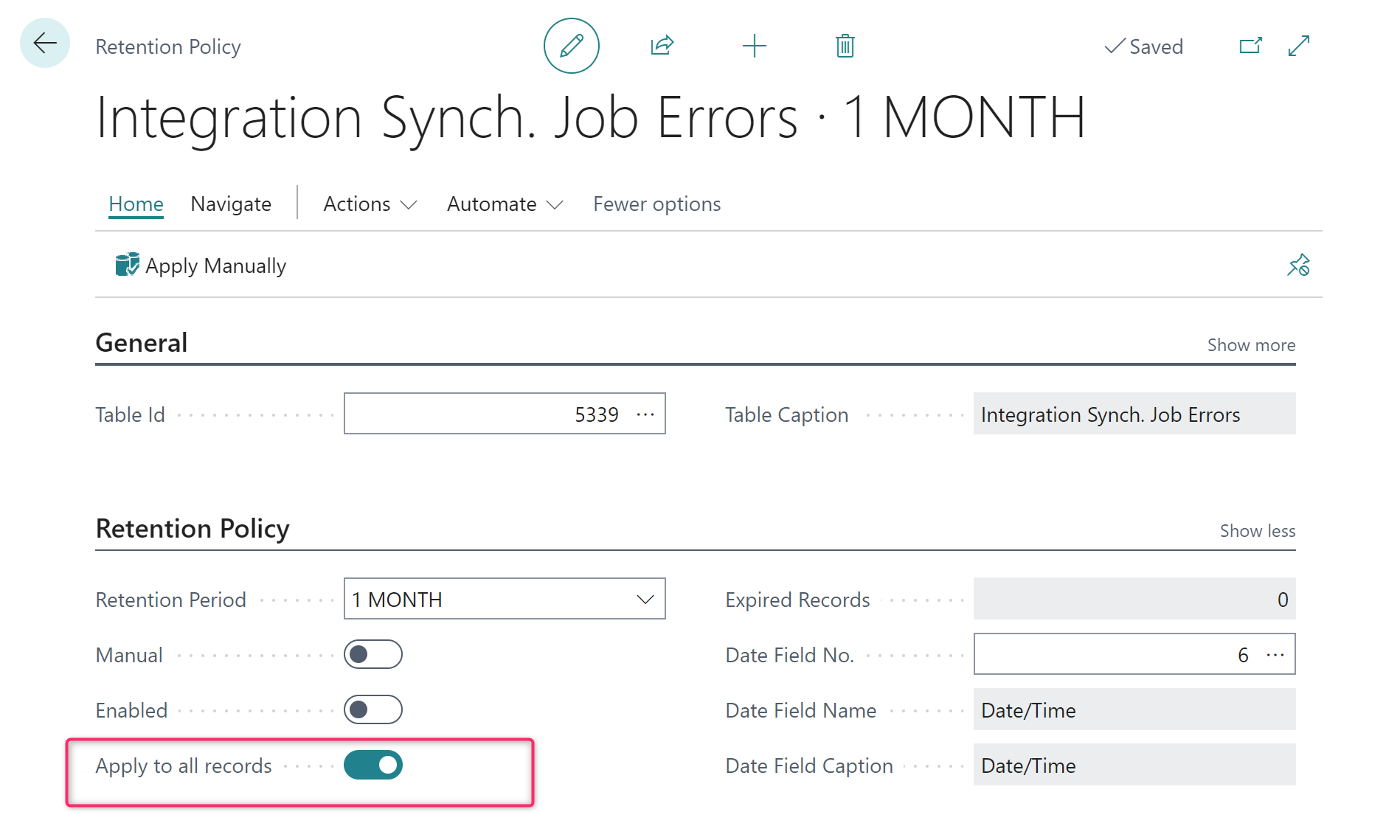
One of the key point in the Retention Policy configuration in Dynamics 365 Business Central is the Apply to all records toggle. This flag specifies whether the retention policy applies to all records in the table. If you want to specify criteria for the records to delete, this toggle must be turned off.
This is a policy configured for working on all records in a table:
and this is a policy configured with criteria for records to delete or retain:
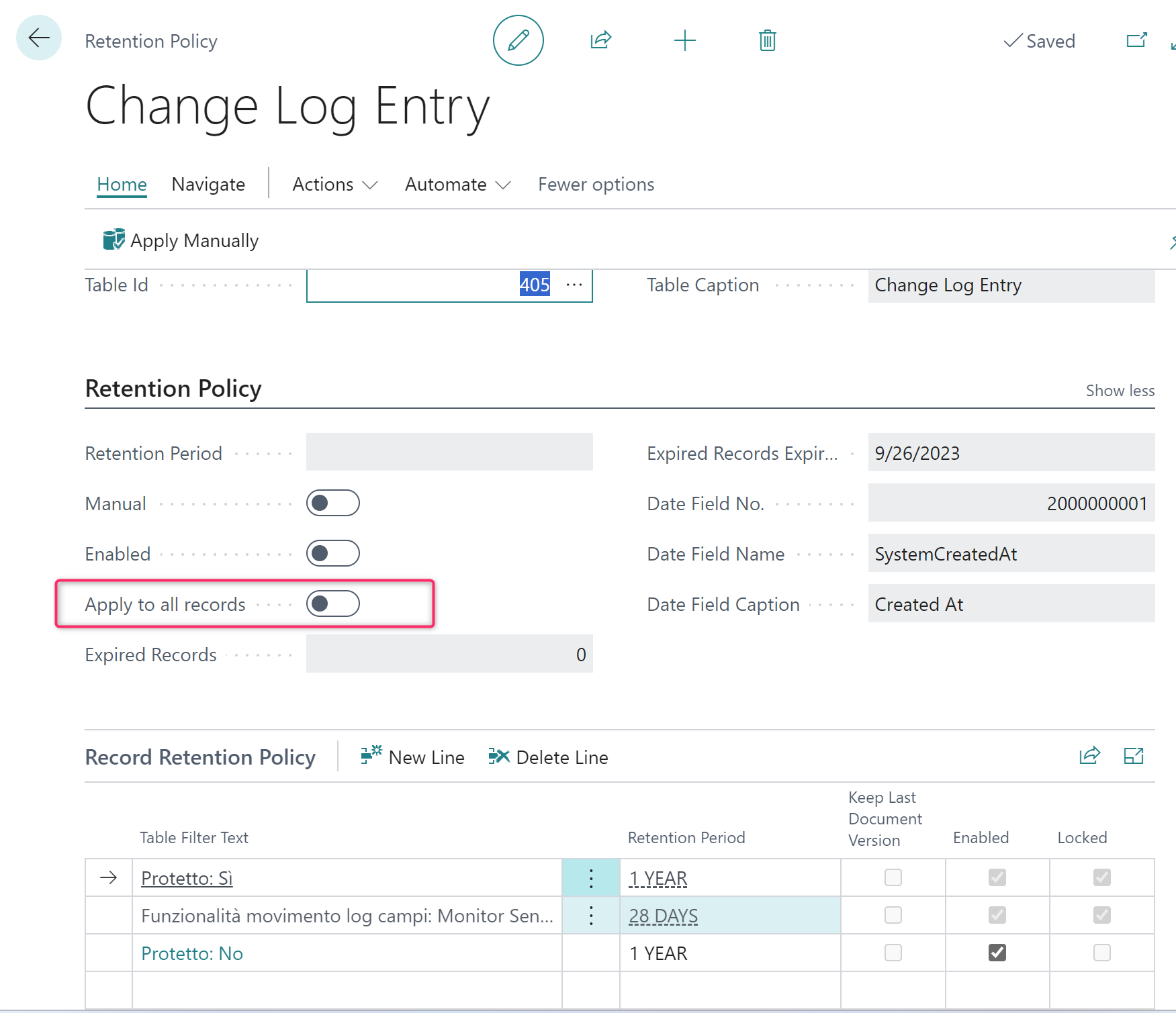
You can see that in this second case we have rows for different criteria.
The Apply to all records flag is evil!!
I agree that the actual implementation is elegant by offering the possibility to select a different policy accordingly to record filters, but this breaks performances and makes the feature quite unusable on large amount of records (at least this is my experience).
The core of the performance bottleneck is in the Apply Retention Policy Impl. codeunit.
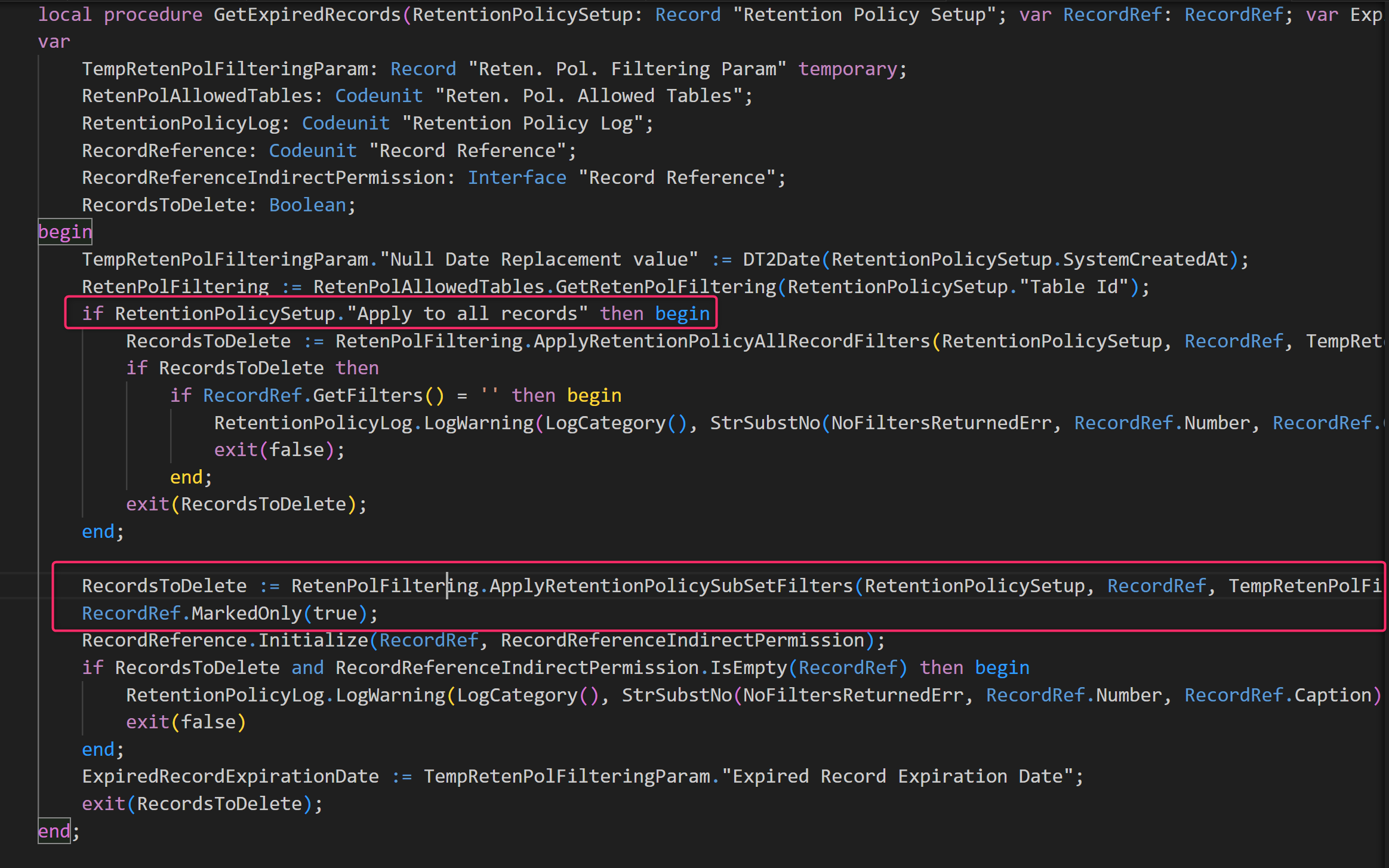
When you have the Apply to all records flag set to OFF, the policy applies to all records and in the GetExpiredRecords procedure the code applies a single filter on a datetime field and then performs a DeleteAll operation.
When the Apply to all records flag set to OFF the code creates a set of filters for retrieving subsets of records that are expired accordingly to their own retention period (a record could appear in 0 or more subsets). The period that applies to that record is the longest of all the subsets. In order to determine this the code goes through all subsets and find all records that have expired for each subset and then remove any record that has not expired in another set. The result is a set of records that have expired in all subsets. Records are looped multiple times and this takes time.
Records are marked multiple times… and you know that this is not often good for performances too…
As said before, the Retention Policy feature was built to be as much generic as possible (it can work with any table). To achieve that, Microsoft has used a lot the RecordRef feature on it. Then, in order to deal with tables where indirect permissions are required, a Record Reference interface was introduced (this allows the owner of a table to implement the interface and give the required indirect permissions). Then again, both the filtering and deleting actions are handled through interfaces (“Reten. Pol. Deleting”, “Reten. Pol. Filtering”).
All these “features” are an extra layer of complexity that impacts performances.
The tests I’ve done on that says that when Apply to all Records is set to FALSE and you create different policies, the time to delete records growth exponentially (from seconds to different minutes to delete 1000 records) and if you have to delete a lot of records, this makes the functionality quite unusable (it relies on job queue, don’t forget it… it can take ages).
I think that also the team under this feature recently discovered that problem, because when checking the V23 codebase I’ve discovered something crazy that makes me appearing like this:

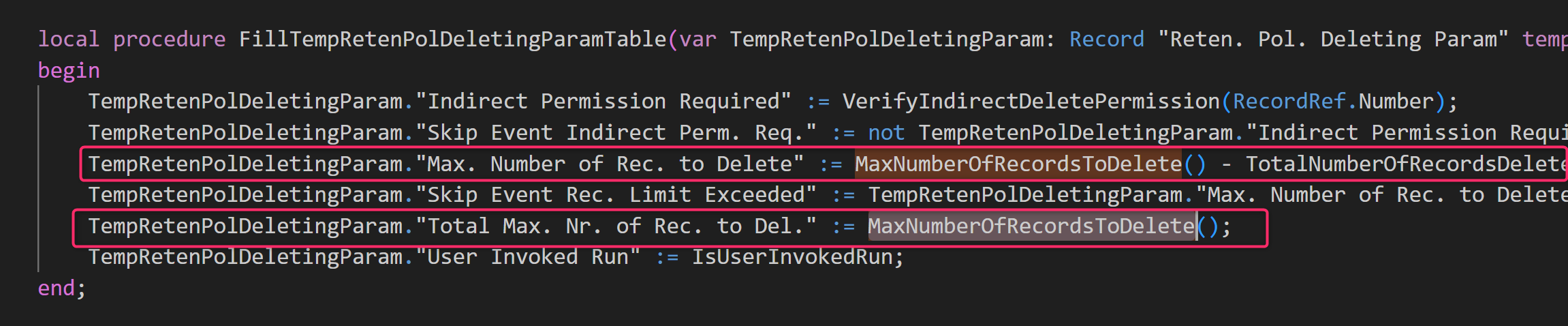
The total number of records that you can delete in an execution is now limited to 10000 records across tables:
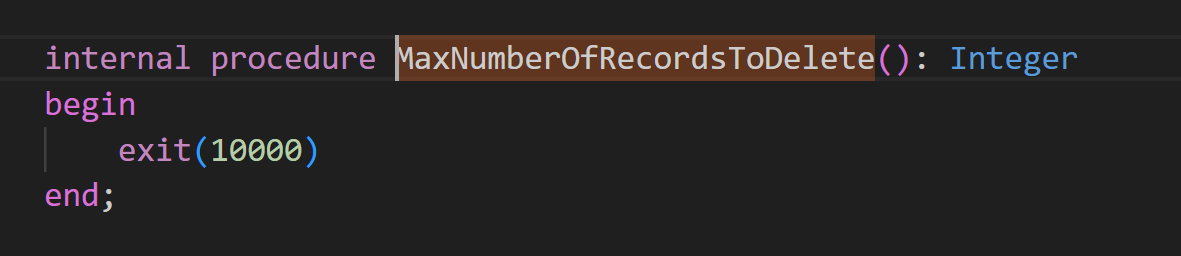
This was done mainly to reduce the number of timeouts. Every retention policy job deletes 10000 records and if it’s successfully executed then it reschedule itself for another 100000 record deletion and so on. But this takes ages (and sometimes rescheduling fails).
Result?
I’ve implemented my custom retention policy for deleting records, that deletes lots of records in few seconds. 😦 But this is not where we would like to go…
Question is: do we really need all this complexity? Do we really need to support all these possibility on setting up a retention policy? Or is it the same story, where we listen to everyone’s ideas and at the end of a long brainstorming we implement a giant that runs like a… ?

Probably here is where we should try to apply the KISS principle a bit… I think that it’s better to have something not so generic but usable that instead having something that is not really ready for handling the amount of data required in a production environment

 Stefano Demiliani
“When you have the Apply to all records flag set to OFF, the policy applies to all records and in the ..”
This should apparently state “ON”, because the next paragraph is about policy OFF.
Agree with the text btw.
LikeLike