

One of the most frequent requests from Business Central partners for a long time has been the ability to have a performance level similar to that of a production environment (that runs in a premium tier) within a sandbox environment, for the purpose of conducting tests or other temporary activities.
With Dynamics 365 Business Central 2026 Wave 2, Microsoft is introducing in Admin Center the possibility to temporarily match the database configuration on a sandbox environment to that of a production environment. This will be exremely useful to test how your apps will perform on a production environment without having to deploy it on a real production, or to use Performance Toolkit or Cloud Migration.
To activate this feature, soon in the Admin Center portal of your Dynamics 365 Business Central tenant when selecting a Sandbox environment you will have this new option:
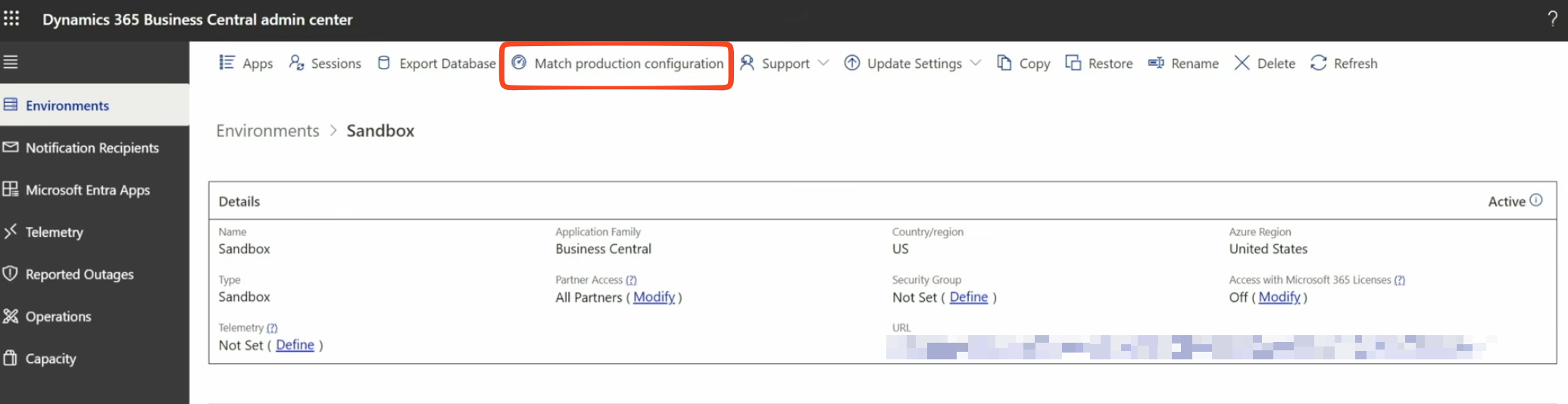
When you click it, a panel appears explaining what the fetaure will do:
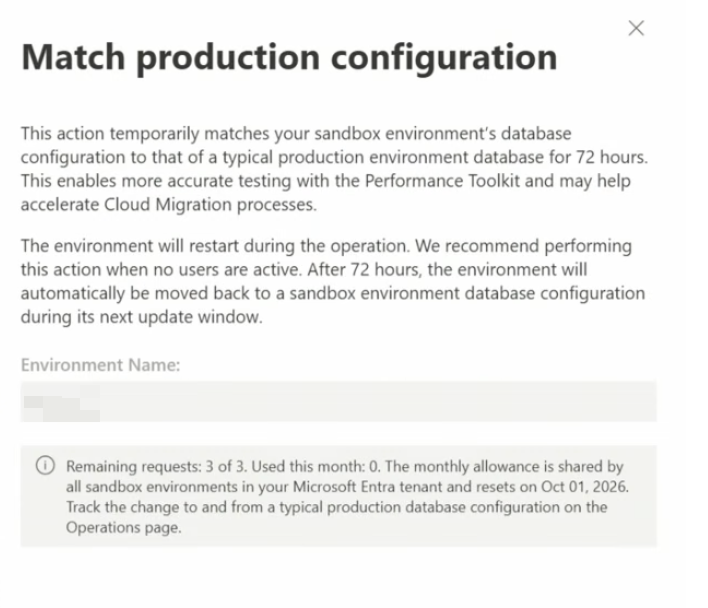
This action temporarily matches your sandbox environment’s database configuration to that of a typical production environment for 72 hours. When the operation is triggered, the Business Central environment will be restarted (in order to be able to modify its database configuration at the Azure SQL level) and the operation will be logged and visible in the Operations section in Admin Center.
After the 72 hours time limit, the sandbox environment configuration will be restored during the next update window (the first update windows after the 72 hours ends).
Remember that you have a maximum number of 3 operations of this type per month.
This operation will be supported also via Admin Center API and it’s available on all tenants with paid license types, including Partner Sandbox environments.


