

Yesterday at FabCon Europe in Barcelona, Microsoft publicly announced data mirroring for Dynamics 365 Business Central in Microsoft Fabric and this is a game changer for every serious BI needs in the Business Central ecosystem.
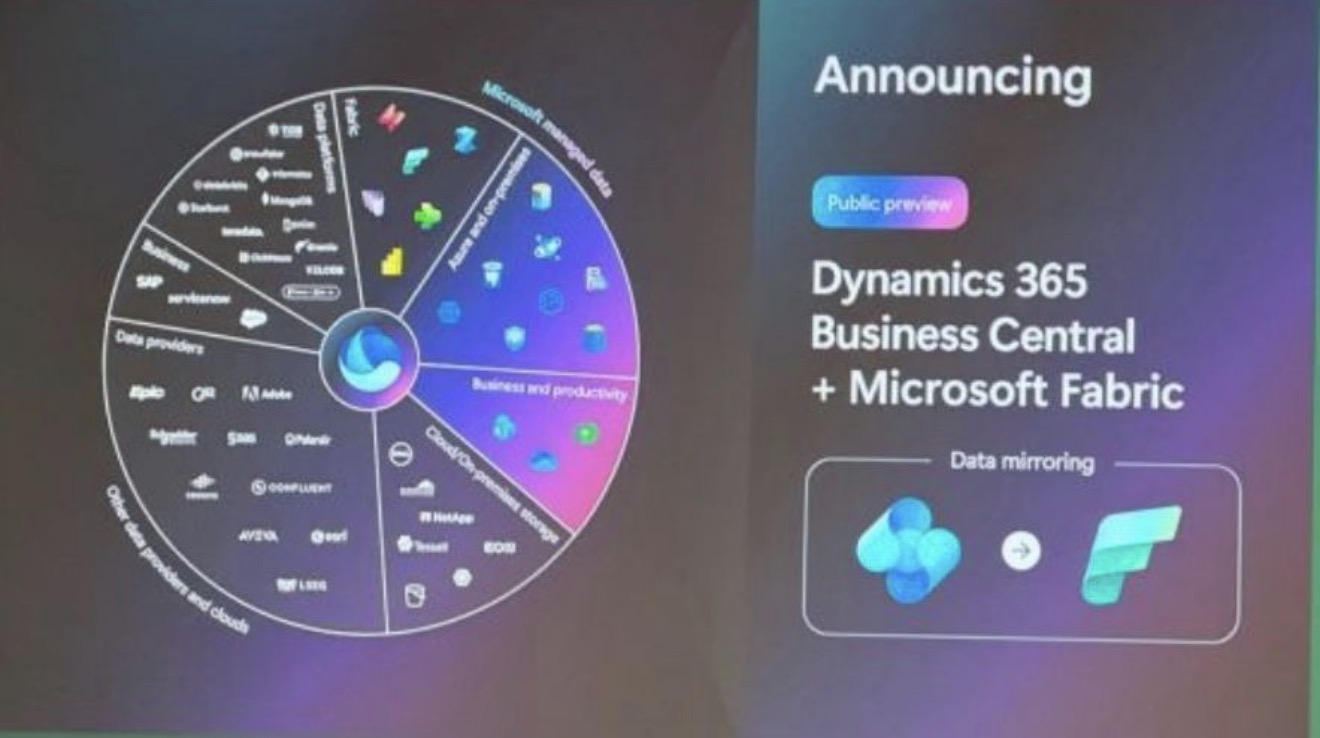
For years, customers have asked us the same question: “How do we get our data out of Business Central to make BI and reporting?” We may finally have a clean and recommended answer to give now.
I had the chance to test this feature in the last weeks and personally I’m really excited fot the new opportunities it can open for customer’s BI needs.
What is Microsoft Fabric?
Microsoft Fabric is Microsoft’s unified analytics platform. It brings data engineering, data warehousing, real-time analytics, data science and Power BI together in a single SaaS experience. Everything sits on top of OneLake, a single logical data lake for the whole organization, so different workloads can read the same data without copying it around.
For those of us working with ERP systems, the appeal is straightforward. Once Business Central data lives in OneLake, reporting, analytics and AI can all build on the same foundation.
What Business Central mirroring does?
Mirroring lets you replicate any table from Business Central, across companies, into Fabric. From there you can build Power BI apps that source their data directly from Fabric, and you get data warehouse and BI capabilities on all your data without having to create a single API.
Setup is a three-step process. You create a mirroring database in Fabric, point Business Central at it, and then choose the companies and tables to mirror. It doesn’t appear in the standard Fabric mirroring source picker, so the configuration starts from the mirroring database and Business Central’s own setup page.
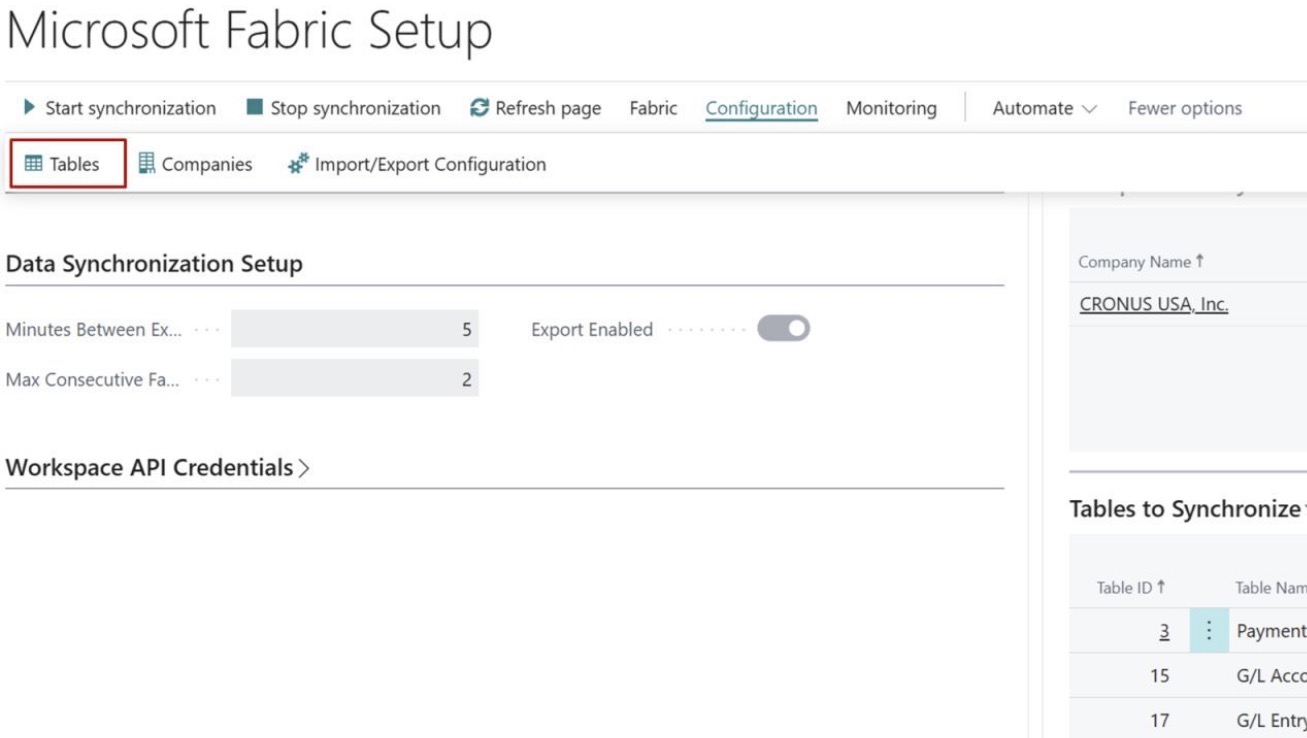
Under the hood, mirroring relies on an internal replication service rather than the Business Central APIs, so it doesn’t consume or affect your API limits and it doesn not have impact on production database performances.
Data mirroring covers all AL tables stored in the SQL database, standard and extension tables alike. You choose which tables and companies to mirror, but not which fields: all fields are replicated, so think of the mirror as a live copy of the data. Deletes are supported, and you can mirror per environment.
Latency is currently measured in few minutes and depends on how volatile the data is. Obviously the initial historical sync takes longer than the incremental ones that follow. No table, row or volume limits have been identified so far.
Fabric data mirroring automatically scales its compute up and down, so there is nothing for you or your customer to tune on that side.
This new feature requires Dynamics 365 Business Central 2026 release wave 2 (version 29.1, possibly 29.0) and is available globally.
What about pricing?
From Business Central side, data mirroring costs absolutely nothing. There is no additional licensing or consumption charge on the BC side.
The customer need to pay for the capacity and resources on the Fabric end. Mirroring requires Fabric capacity: an F SKU (commonly F2 or higher) or an existing P SKU capacity. So the real question for a Business Central project isn’t how much the feature costs, but which Fabric capacity you need to run it.
The new F0 SKU.
Alongside mirroring, Microsoft announced yesterday also a new F0 SKU for Fabric on-demand billing, also in public preview. It is pay-per-use with nothing upfront, which makes starting a Fabric proof of concept much easier. There is no capacity to reserve and no commitment to defend to the customer before they have seen any value.
Since it is still a preview, I would treat F0 as a way to experiment and validate the idea rather than as a production choice. Check the official documentation for what it includes and how it is metered before making promises to a customer.
Why F2 is the right starting point for a BC project?
Microsoft’s guidance on Fabric capacity data mirroring in a real-world production project says F2 or higher, and for a typical Business Central project I suggest to always start at F2. It is the smallest fixed-capacity F SKU, so it is the lowest committed cost at which mirroring works today. A fixed capacity is also much easier to explain and budget for than usage-based billing once the solution is in production, and you can scale up later if the number of mirrored tables, the data volume or the reporting load demands it, instead of oversizing from day one.
It also fits the most common scenario well: a few companies, a selected set of tables such as G/L entries, customer and vendor ledger entries, item ledger entries and sales and purchase documents, with Power BI on top.
How to get started?
The easiest way in is a Fabric trial capacity, which lets you try mirroring without any commitment. From there, a sensible path is to explore with the trial or F0 on-demand, move to F2 for the pilot, and size up based on the capacity consumption you actually measure.
For the details, Microsoft’s mirroring documentation is the best place to start.
The Business Central specific articles on this feature are expected to be updated soon. Be prepared to see more news on this topic in the next months.


Did you try this? I am having difficulty finding the extension in appsource.
LikeLike
Yes but I was involved in private preview. The extension will be on AppSource in few weeks.
LikeLike