

GitHub yesterday was affected by a breach caused by a malicious actor that embedded a malware in a VS Code extension (Nx Console 18.95.0). An employee installed it, and approximately 3800 internal repositories were exfiltrated.
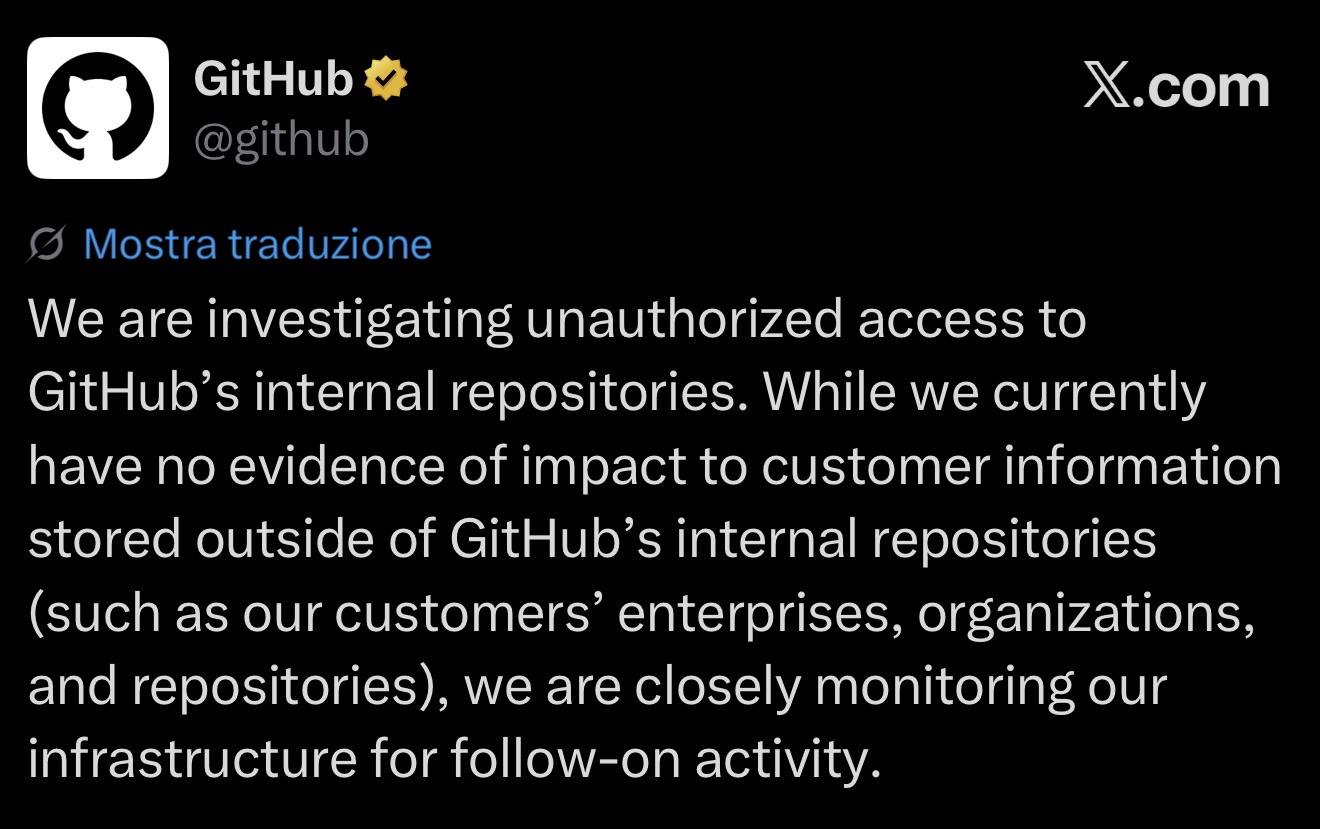
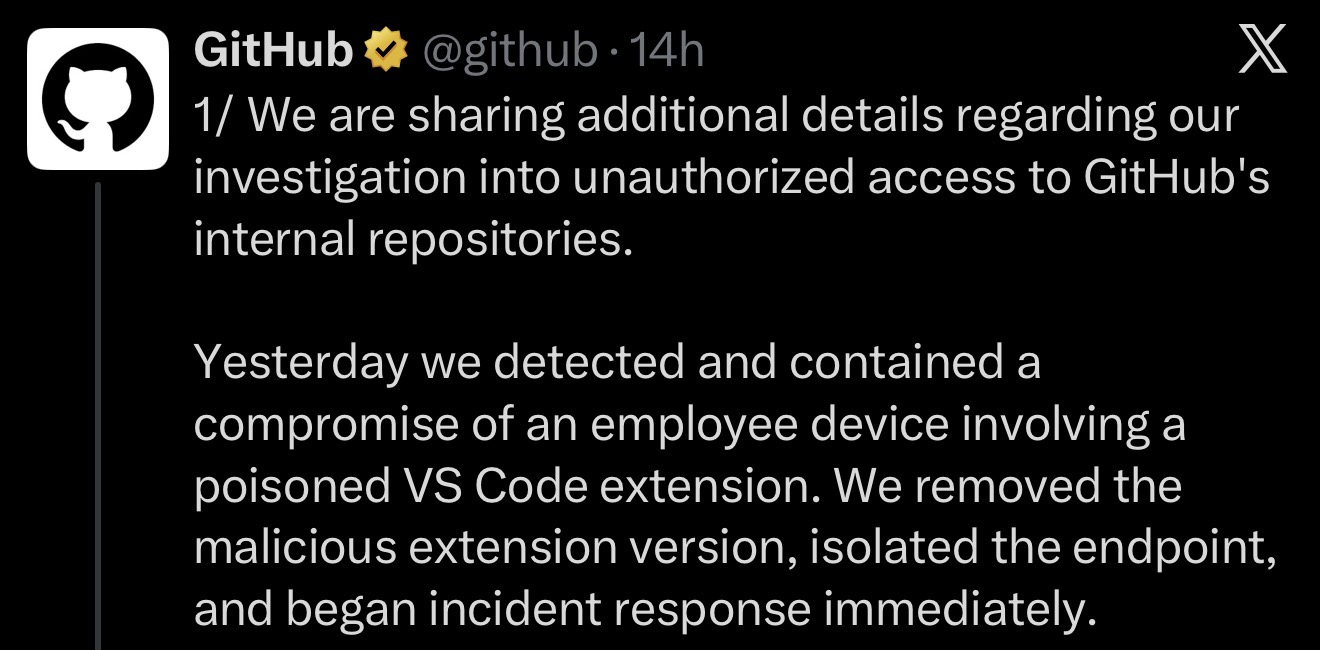
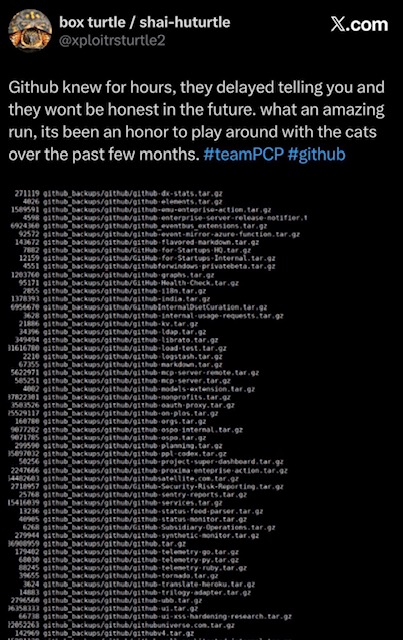
The compromised extension silently fetched and executed a 498 KB obfuscated payload from a dangling orphan commit hidden inside the official nrwl/nx GitHub repository and now the content of many internal GitHub repos is on an hacker’s website:
Why a Visual Studio Code extension can do such damage?
Visual Studio Code is now probably the most widespread IDE across developers. VS Code extensions run with full IDE privileges (they’re not sandboxed). VS Code has full access to the file system, to the terminal, to environment variables and credential stores, and it auto-updates extensions by default. A compromised extension is just a Node.js process running inside a trusted application, with the same access rights as the developer.
How can you control that?
There are different ways to control the extension’s installed in your Visual Studio Code environment, expecially if you’re an enterprise and you want to control what your developers can do in the IDE.
Visual Studio Code >= version 1.96 introduced the extensions.allowed setting, enforceable via AllowedExtensions Group Policy. This setting permits you to specify a list of extensions that are allowed to use and this helps maintain a secure and consistent development environment by restricting the use of unauthorized extensions:
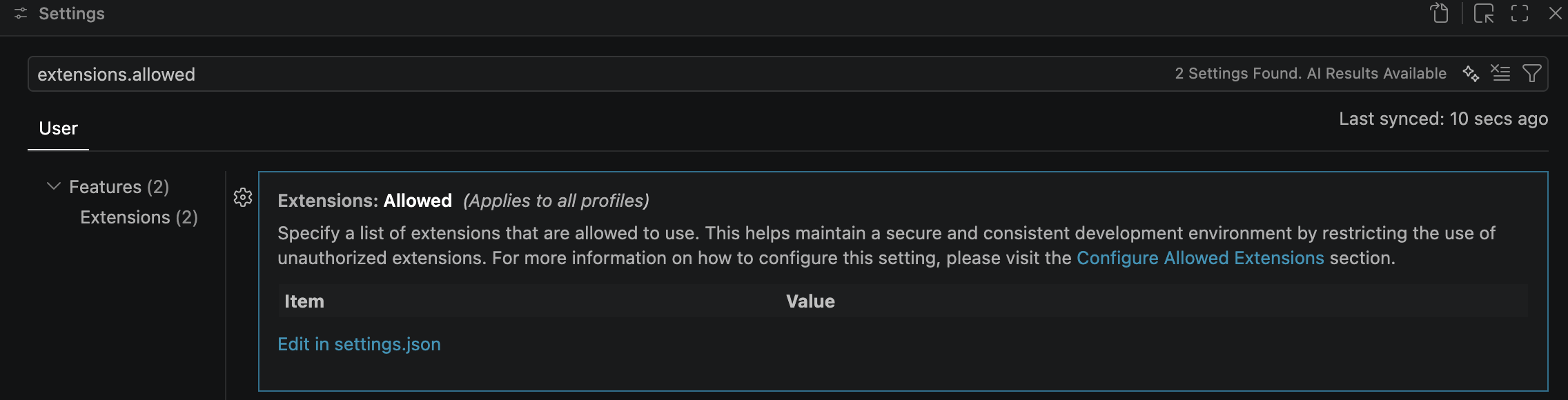
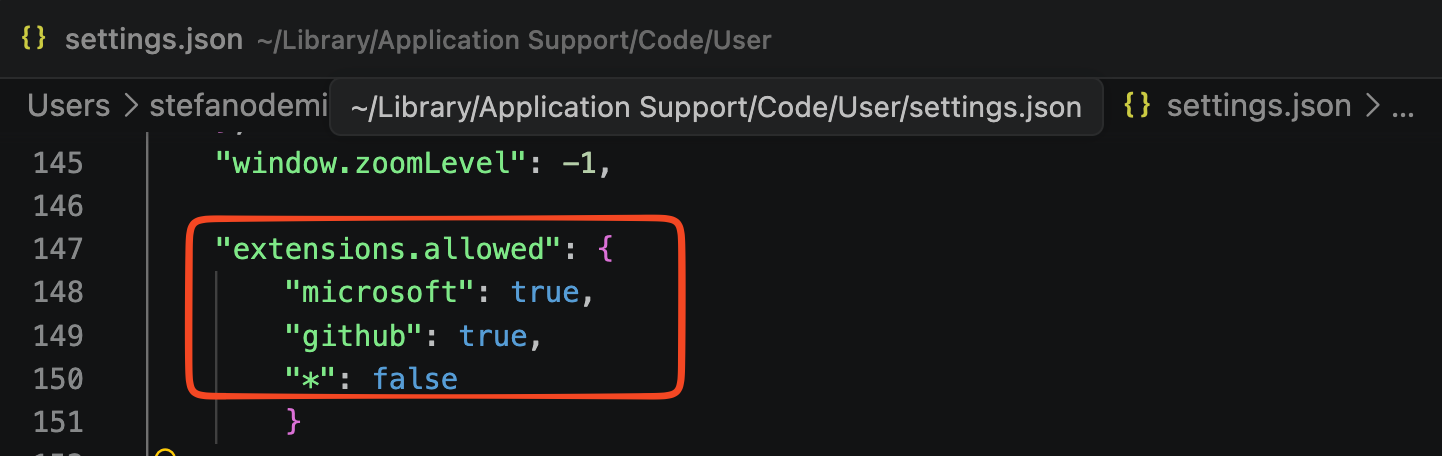
You can specify for example an extension’s allowed policy by publisher:
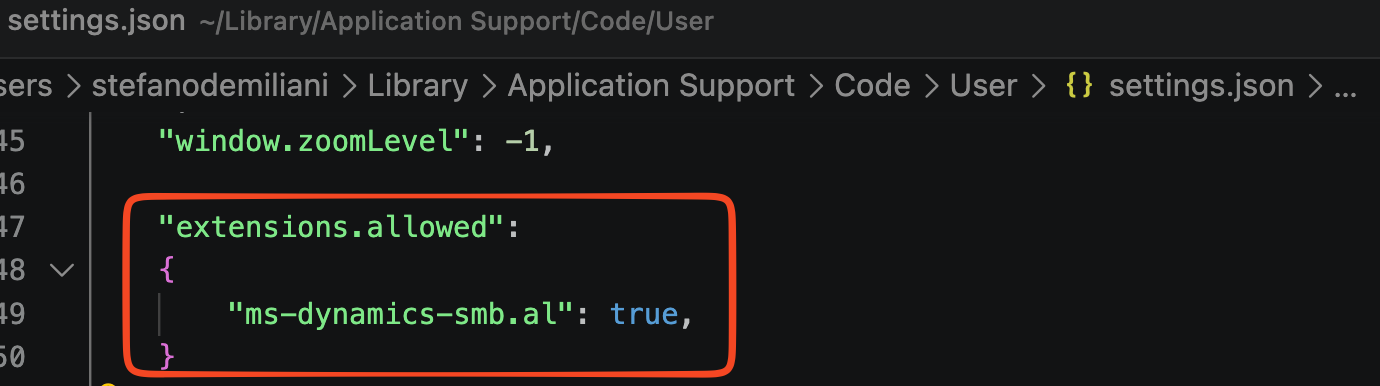
or you can directly define an allowed policy by specifying the extension’s ID to allow:
Such policies can be centrally deployed in an organization by using Microsoft Intune or similar software (like Mobile Device Management or MDM for MacOS).
Visual Studio Code has also an extensions.autoUpdate setting that permits you to define the update policy of your extensions:

But extensions in Visual Studio Ciode can also manually installed via a VSIX file…
VS Code doesn’t currently expose a direct policy for blocking .vsix installations and the extensions.allowed policy previously explained doesn’t have impact with .vsix files. Blocking that is not so easy.
A possible idea (probably thre easiest way) is to remove write access to the VS Code extensions directory via Powershell using the icacls command (icacls is a powerful Windows command-line utility used to display, modify, backup or restore Access Control Lists (ACLs) (permissions) for files and directories on NTFS file systems):
$extensionsPath = "$env:LOCALAPPDATA\Programs\Microsoft VS Code\extensions"

# Make directory read-only for users
icacls $extensionsPath /grant:r "Users:RX" /remove "Users:W"
icacls $extensionsPath /inheritance:r  # Remove inherited permissions

# Only allow SYSTEM to write
icacls $extensionsPath /grant:r "SYSTEM:F"
This prevents the execution of code --install-extension file.vsix from succeeding. VS Code will error when trying to extract the .vsix archive into the extensions folder.
Another possible way to do that is to use Windows Defender Application Control (WDAC) is a built-in enterprise security feature in Windows that acts as a software allowlist. Instead of trusting all applications by default, it requires software and scripts to earn trust before they can run, severely limiting the attack surface for malware and unauthorized programs:
# Generate WDAC policy allowing only signed binaries
New-CIPolicy -FilePath "C:\temp\wdac-policy.xml" `
  -Level "FilePublisher" `
  -Fallback "Hash" `
  -UserPEs

# Convert to binary format
ConvertFrom-CIPolicy -XmlFilePath "C:\temp\wdac-policy.xml" `
  -BinaryFilePath "C:\temp\SIPolicy.p7b"

# Deploy via Group Policy or Intune
WDAC blocks execution of Node.js processes spawned from non-approved directories, which prevents malicious .vsix files from executing their scripts.
What about a private marketplace?
If you have GitHub Enterprise, another possible option to control extension’s deployment in VS Code is by using a private Visual Studio Code marketplace. Private Marketplace is available to GitHub Enterprise customers. only and VS Code users must sign in with a GitHub Enterprise or Copilot Business or Enterprise account to access it.
You can migrate your approved extensions list into the private registry and then block public marketplace access at the network layer once migration is complete.
Private Marketplace is available from Microsoft registry using docker pull mcr.microsoft.com/vsmarketplace/vscode-private-marketplace:latest. Private Marketplace ships with Bicep scripts (download here) for deployment (not very easy honestly).
Another possible option is to use Azure Artifacts and manually publish a VSIX file to Azure Artifacts as a Universal Package. To do that, first of all install the needed packages:
az extension add --name azure-devops
then create in an Azure Devops Project an Azure Artifact feed:
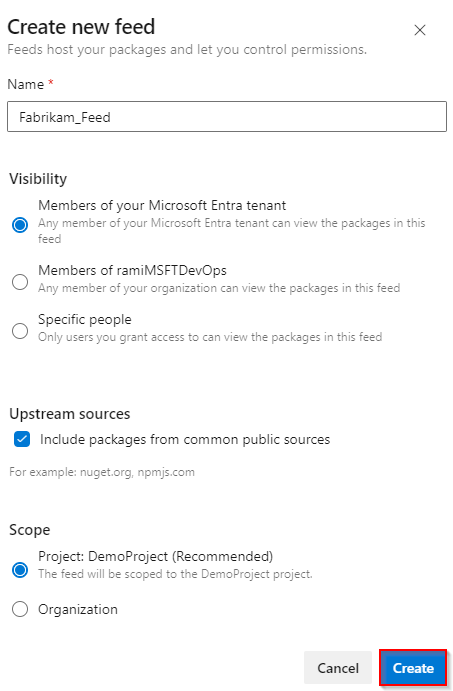
To publish the VSIX package, authenticate to Azure DevOps:
az login
Use the Azure CLI command to publish the Universal Package, specifying your organization, feed name, package name, version, and the path to the VSIX file:
az artifacts universal publish \
  --organization https://dev.azure.com/<YOUR_ORGANIZATION> \
  --project <PROJECT_NAME> \
  --scope project \
  --feed <FEED_NAME> \
  --name <PACKAGE_NAME> \
  --version <PACKAGE_VERSION> \
  --path <PATH_TO_VSIX_FILE> \
  --description "My VS Code Extension"
Example:
az artifacts universal publish \
  --organization https://dev.azure.com/mycompany \
  --project MyProject \
  --scope project \
  --feed vs-extensions \
  --name my-extension \
  --version 1.0.0 \
  --path C:\path\to\my-extension.vsix \
  --description "Internal VS Code extension"
Your team members can download the published VSIX using the Azure CLI download command:
az artifacts universal download \
  --organization https://dev.azure.com/<YOUR_ORGANIZATION> \
  --project <PROJECT_NAME> \
  --scope project \
  --feed <FEED_NAME> \
  --name <PACKAGE_NAME> \
  --version <PACKAGE_VERSION> \
  --path ./downloaded-extension
In this scenario:
- The VSIX is treated as a single file within the Universal Package.
- You can version each release (e.g.,
1.0.0,1.0.1,1.1.0). - Packages up to 4 TB are supported.
- The feed enforces permissions (only authorized users can download from it).
- Unlike publishing to VS Marketplace, this stays completely private to your organization.
Conclusion: what we learned from the latest GitHub breach?
I personally learned essentially this: developer machines deserve the same security rigor as production infrastructure. They’re security-critical because they accumulate every secret a developer touches, have unrestricted network access, and control the beginning of the supply chain. A single compromised developer endpoint compromises everything downstream. Don’t forget that…


