


I talked about this upcoming feature with some of you last week, but now that Dynamics 365 Business Central 2024 Wave 1 release (v24) is in a public preview stage, I can talk about that more in detail.
The new AL version coming with Dynamics 365 Business Central v24 add the support for multiple extensions to same target in the same application.
In order to help achieve better separation of concerns in large apps, the following changes have been made:
- Extensions can now exist in the same app as their target.
- Multiple extensions to the same target can exist in the same app.
What does that mean?
That now you can create multiple extension objects of the same target in your extension. For example, in an extension you can now create two tableextension objects for the Customer table:

The same applies to other objects, like for example pageextension objects:

Now you can also define a new table object and a tableextension object of this base table in the same extension:
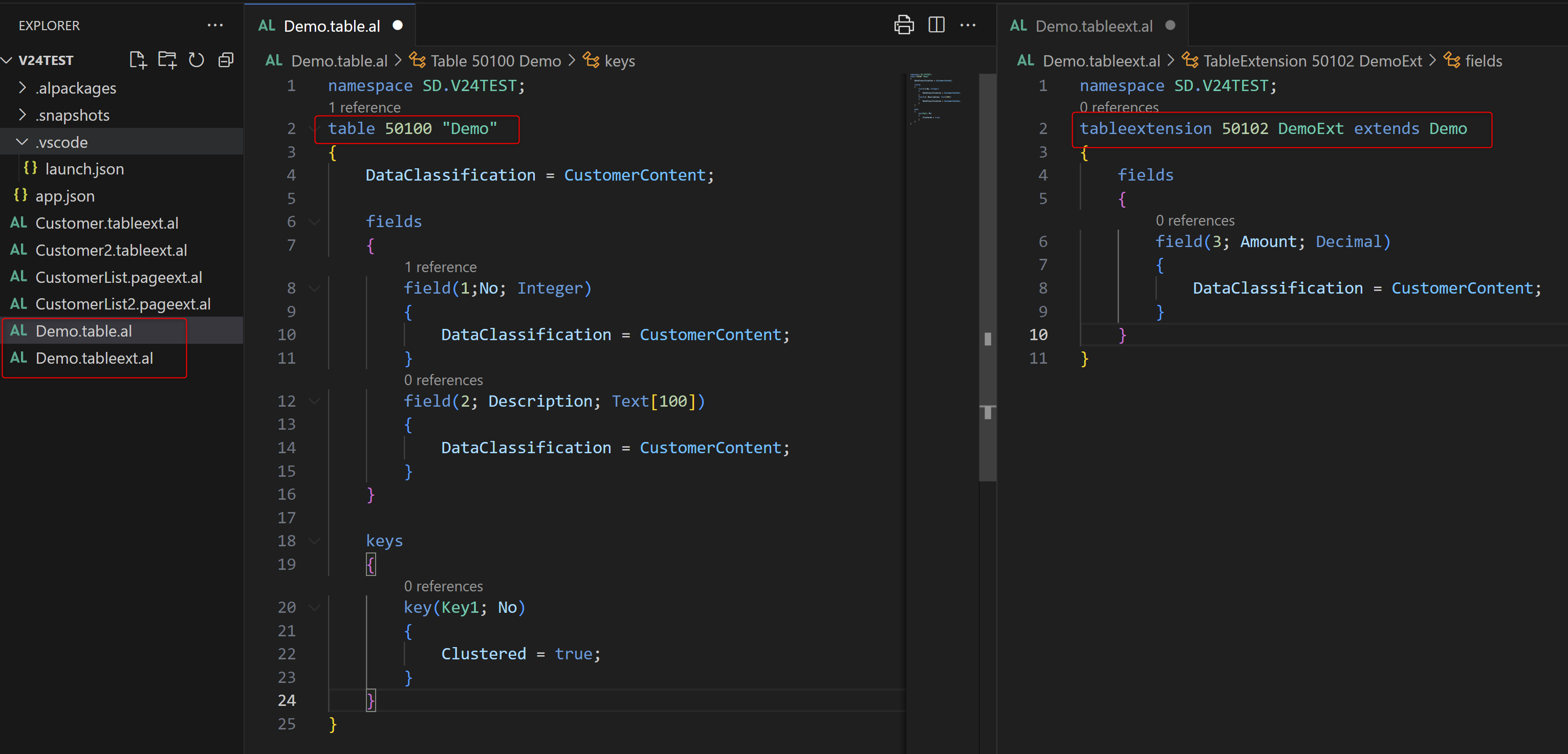
For table extensions in the same app as their target, the fields and keys will be moved to the base table to prevent SQL-joins at runtime.
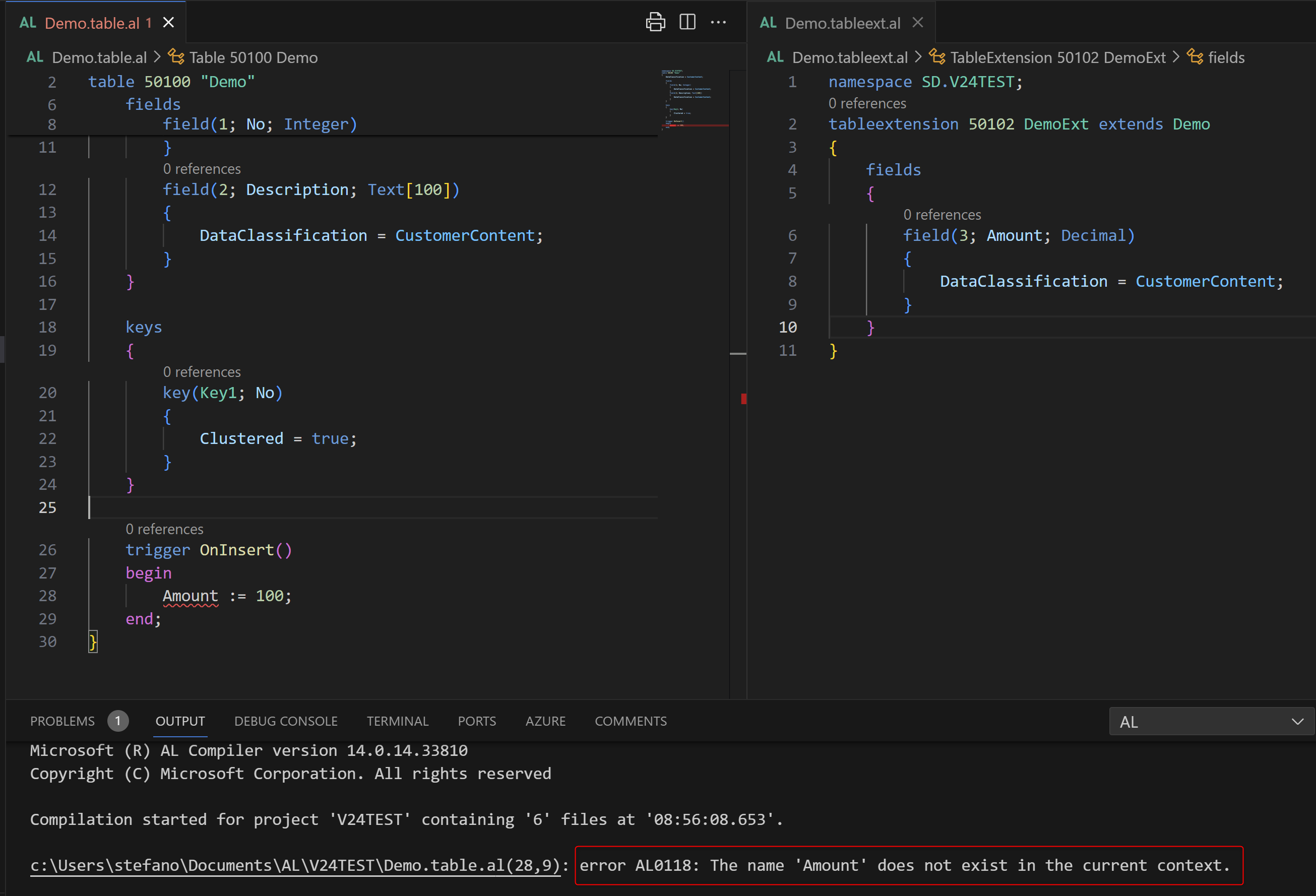
From the base object, you cannot reference members from the extension objects (you have an error at compile time):
Why this change?
The main reason is supporting separation of concerns on large apps, like the new Business Foundation Layer. In a large app where you want to separate modules, it’s quite common to have the need to create a tableextension (or other extension objects in general) of a single base object for a particular module. This helps on achieving separations.

 Stefano Demiliani
This calls for celebration! Do you know how this will work for existing apps deployed in production? Should we be able to split the fields in a table into multiple object, sync the new app, and Voila? (while retaining the field-id’s, of course)
LikeLike
If you remove fields from a table of an existing app and put them into a tableextension in the same app, this is actually considered as a breaking change.
LikeLike