

I’ve decided to write this quick post after having spent some hours on supporting a partner in order to discover problems with a Dynamics 365 Business Central online instance.
The partner has moved customer’s data from a Dynamics 365 Business Central v14 C/AL database (onpremise) to Dynamics 365 Business Central online. Migration was successful, but then he had a strange error on code when working on some records. The error was raised by simple GET operations on Code fields, like:
Customer.Get(CustomerNo)
where CustomerNo contains the No. field (primary key) of the record to retrieve.
What happened here?
After investigating, we discover that the data migration migrates data from the original database with Code fields containing non-printing characters, like for example CRLF or TABS. These characters on Code fields were supported on old versions of the ERP, but the current platform does not support them (and a GET on them throws an error).
If you want to perform a clean data migration to the online service, before doing that it’s absolutely recommended to open the Business Central Administration Shell and then to execute the Invoke-NAVSanitizeField Powershell cmdlet.
This cmdlet trims all the unsupported characters from fields of type Code in the tenant database and returns an object containing the number of rows and values modified, the tables impacted and a list of potentially ignored records.
Executing it on the entire database is super easy. Just launch the following command:
$result = Invoke-NAVSanitizeField -ServerInstance YOURSERVERINSTANCE -Tenant YOURTENANT
Here $result is an object containing the results of the sanitize field operation.
As an example, here the execution on our test database for this case:
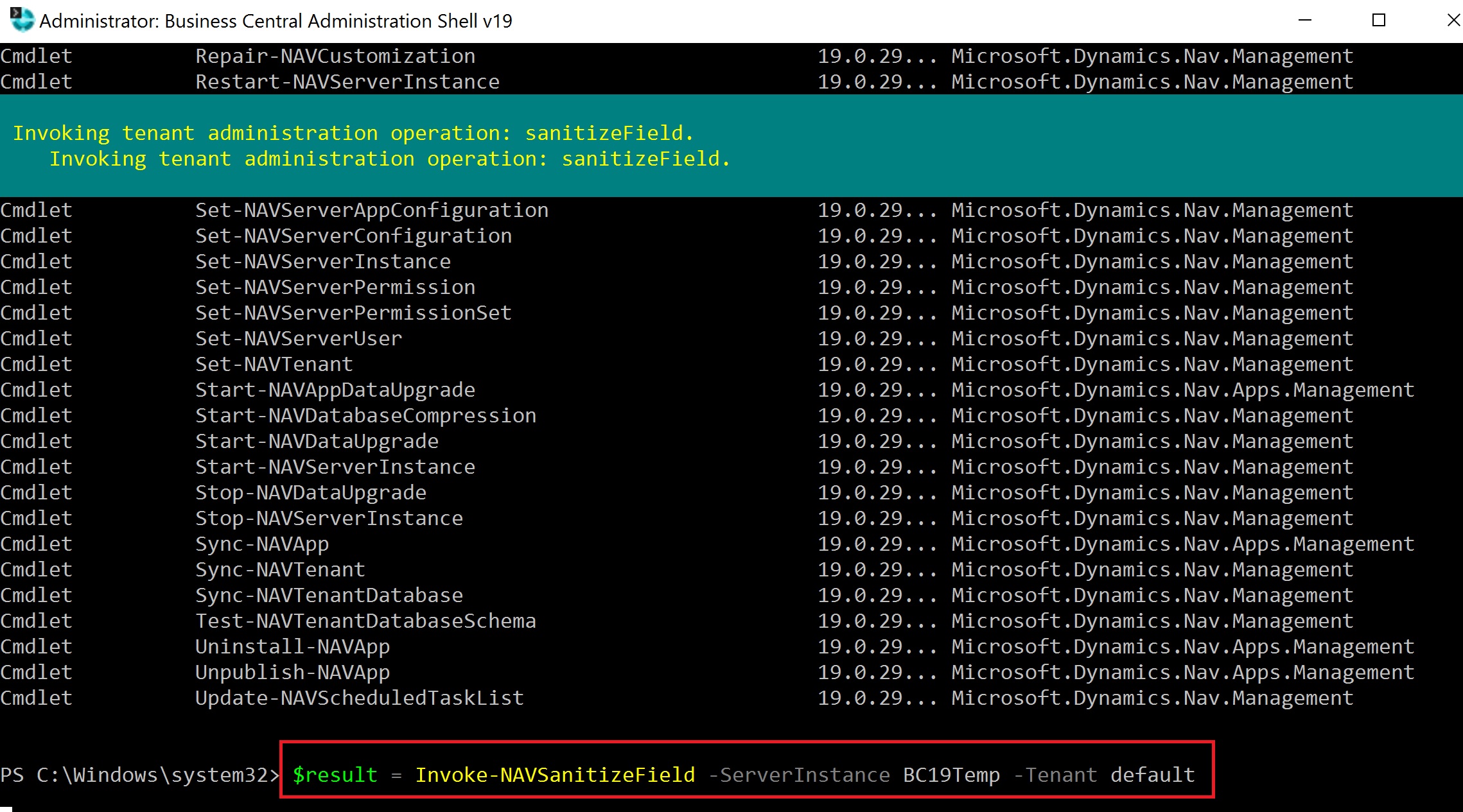
Result was this:

A Customer record with a CRLF field value on the No. was found in the original database (I think this was mainy caused by copy/paste from Excel cells. Remember that if you copy an entire cell, it has also CRLF characters in the value).
After data sanitization, problem solved (so please remember it). 🙂

 Stefano Demiliani
Sweet 🙂
LikeLike
Thanks.
Curious on a couple of points.
What was the strange error received from the get()? was it a standard no record exist for CustomerNo?
What does nav do with these characters after the upgrade? Can we see the Crlf character on the customer record in BC?
LikeLike
The GET fails (record not found).
The sanitization simply removes all strange characters from Code fields in the database. These chars are removed from the field, so not more present in BC online data.
LikeLike
An important detail to keep in mind is that this is done in a transaction to avoid causing data corruption. Tables being sanitized are locked, so the system should not be in use while cleaning it up.
Very glad to see this feature being useful 🙂
LikeLiked by 1 person
Question arizen: did it clean up also all related tables and non-PK fields on them? Like Customer Ledger Entry’s Customer No.?
Or only PK fields like Customer/Item/etc?
LikeLike
Question arizen: did it clean up also all related tables and non-PK fields on them? Like Customer Ledger Entry’s Customer No.?
Or only PK fields like Customer/Item/etc?
LikeLike
Yes all fields of type Code
LikeLike
It works on all Code fields.
LikeLike
Hi Stefano, how to fix this kind of issue on Prod SAAS
LikeLike
On SaaS you need to rely on configuration packages or your custom tools (codeunits etc).
LikeLike
Hi, I try to run the function but I get this error
PS C:windowssystem32> $result = Invoke-NAVSanitizeField -ServerInstance BC230 -Tenant default
WARNING: UnhandledErrorMessage
Invoke-NAVSanitizeField : Retry failed after 4 tries. Retry settings can be adjusted in ClientOptions.Retry or by configuring a custom retry policy in
ClientOptions.RetryPolicy.
At line:1 char:11
~~~~~~~~~~~~~~~+ CategoryInfo : NotSpecified: (:) [Invoke-NAVSanitizeField], AggregateException
+ FullyQualifiedErrorId : System.AggregateException,Microsoft.Dynamics.Nav.Management.Cmdlets.InvokeNAVSanitizeField
The version is 23.0.16
LikeLike
This is not needed if you move from v23. It was needed when moving from BC 14 due to C/AL data replication.
LikeLike
The original version was in nav 2016, I think I don’t remember the version well, they moved it to version 23 of BC to be able to migrate it to the online version, we wanted to do the sanitization step because that is what it said in the guide that we are following, The strange thing is the error it gives, do you think it is influenced by the fact that we have other versions of bc on the server? The majority are 14.
LikeLike
This command was born to support migrations from C/AL-based environments to BC 14. Not sure if it works on >= 23 where the extension data model is changed. It’s not influenced by other servers on the same machine.
You can test if it works on a v14 db. If so, it’s probably not supported on v23.
LikeLike
Hi, I get this error when try to run the function, Do you know why this might be happening?
PS C:windowssystem32> $result = Invoke-NAVSanitizeField -ServerInstance BC230 -Tenant default
WARNING: UnhandledErrorMessage
Invoke-NAVSanitizeField : Retry failed after 4 tries. Retry settings can be adjusted in ClientOptions.Retry or by configuring a custom retry policy in
ClientOptions.RetryPolicy.
At line:1 char:11
~~~~~~~~~~~~~~~+ CategoryInfo : NotSpecified: (:) [Invoke-NAVSanitizeField], AggregateException
+ FullyQualifiedErrorId : System.AggregateException,Microsoft.Dynamics.Nav.Management.Cmdlets.InvokeNAVSanitizeField
LikeLike