

Every time I show Dynamics 365 Business Central Agents (standard and custom ones) in action, there’s always someone that raise the following question: how much does this agent cost me? How do I know how many “Copilot credits” this execution costs?
You probably know that Business Central Agents are billed in Copilot credits. Copilot credits are bundled with some license types and you have also some free credits every month. If you need more credits for your agents, you can go to the Power Platform Admin Center and from here you can acquire more credits using the prepaid packs or using a pay-as-you-go subscription. In any case, you need to link the Power Platform environment to your Business Central environment to start using the new billing. More info on this can be found here.
Remember that Copilot credits consumed by Business Central environments that don’t have AI billing setup will be reported against the Power Platform default environment for the tenant. Linking Business Central environments to Power Platform environments remains required to use pay-as-you-go billing and to report consumption or allocate Copilot credits to a specific Business Central environment.
How to track Copilot credits usage for my Agents?
Copilot credits consumption depends on the feature used and the actions that your agent performs. I see that not too many Business Central partners and users know that you can now monitor the consume of Copilot credits for your Agents directly in Business Central. To do that, simply open the Agent page, select your agent and then click on Actions –> View consumption data:

Here you can see the execution of your AI agents by month and the credits usage by tasks, with the possibility to move between months:
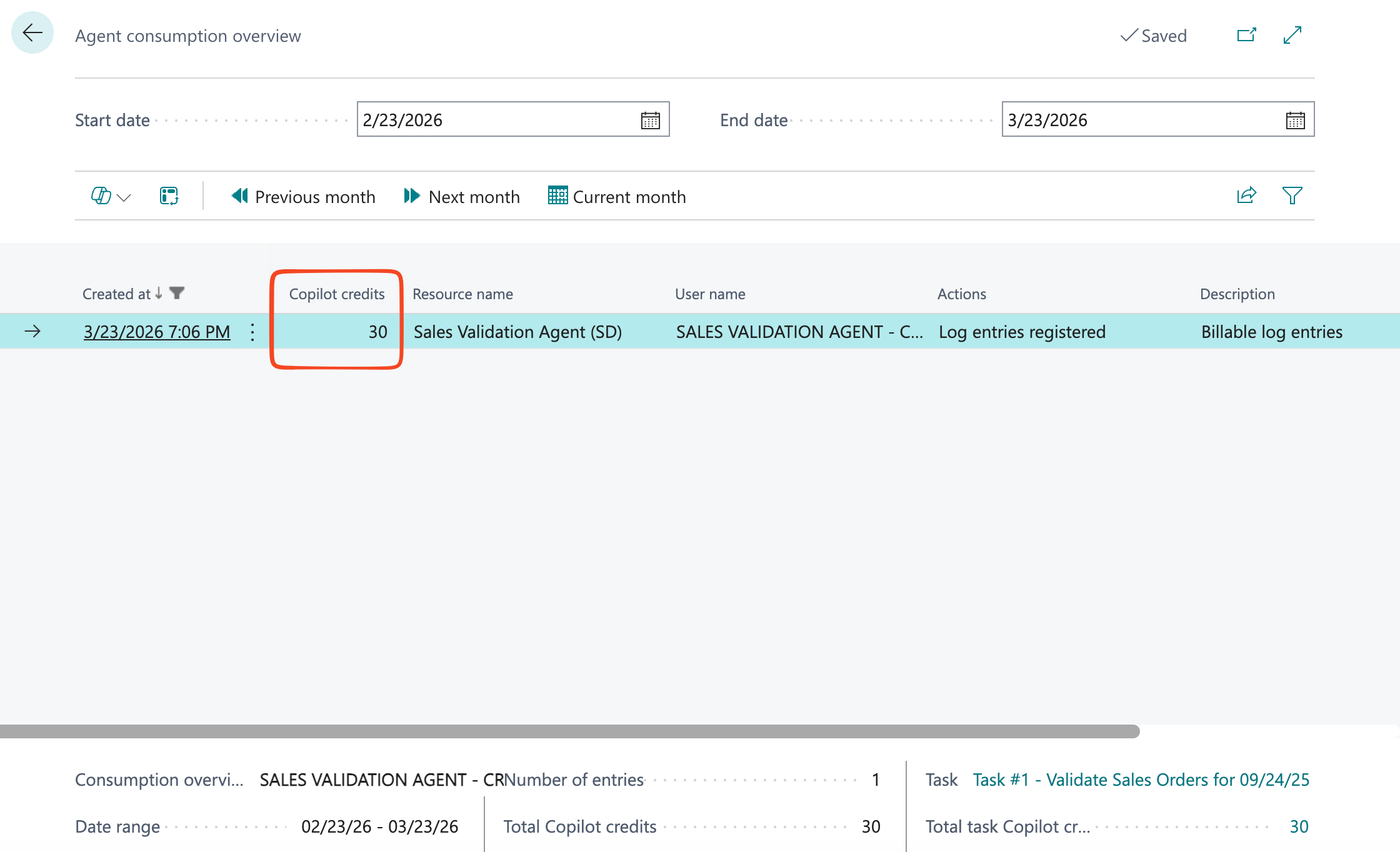
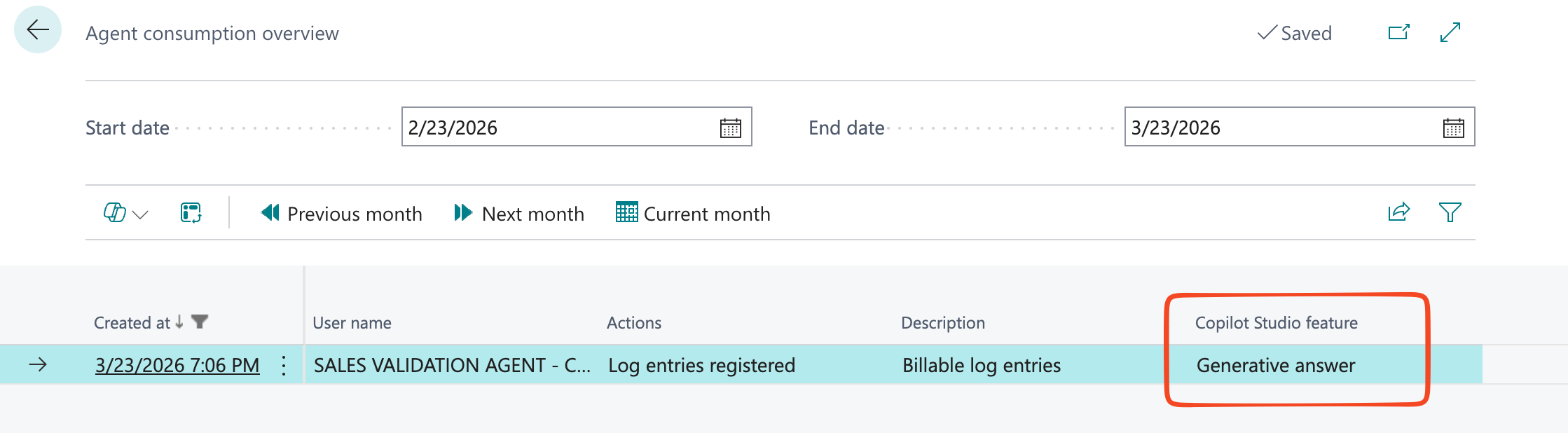
Every execution also shows the Copilot Studio features used by the agent (Generative answer, Autonomous action etc):
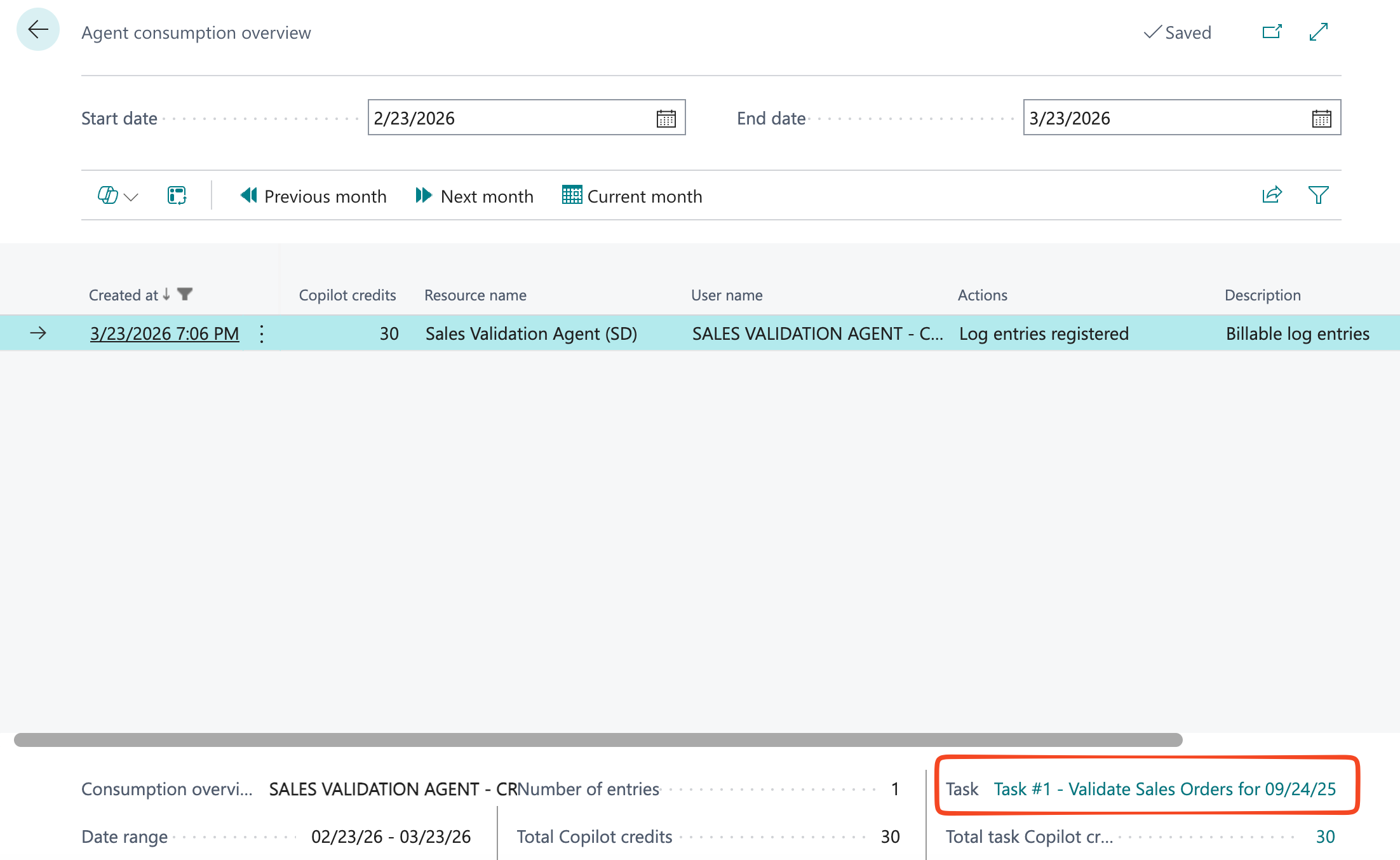
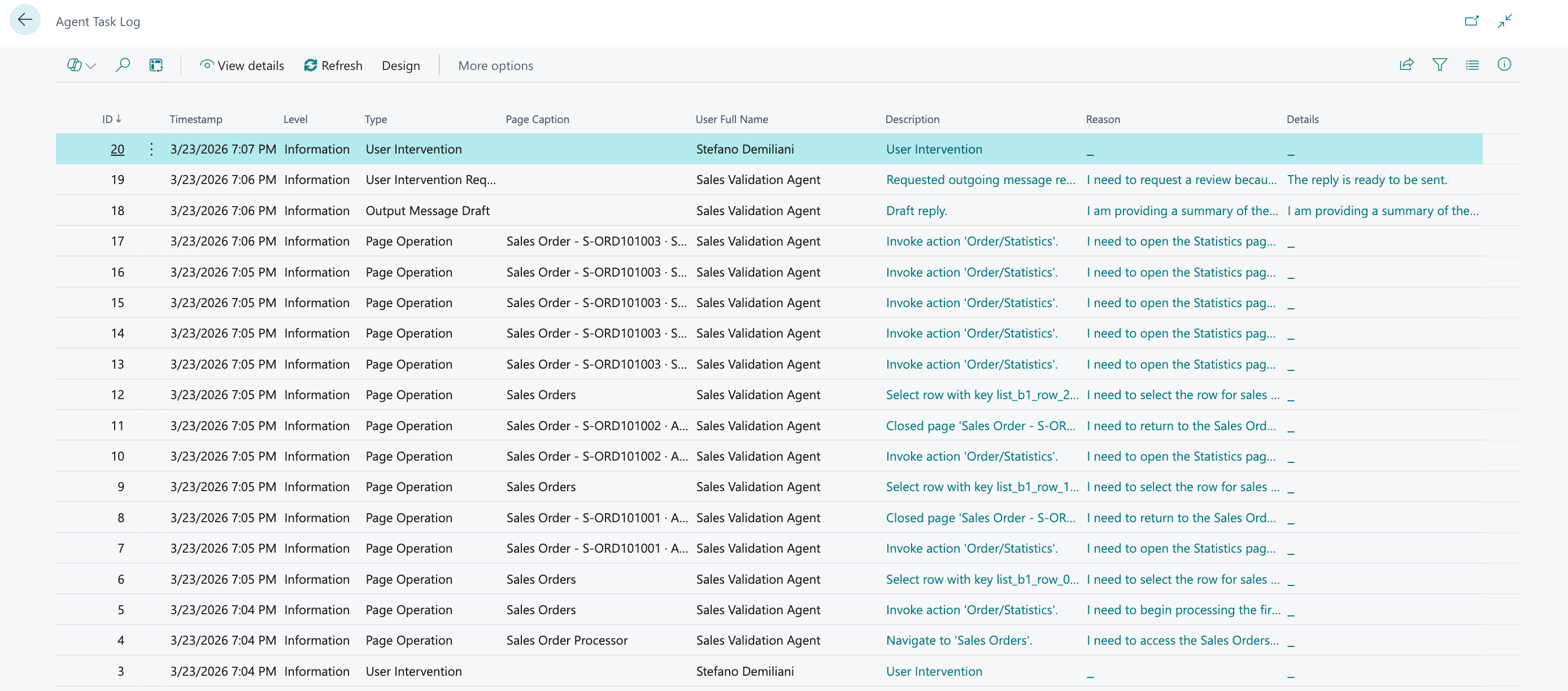
For each selected task, you can also inspect its details (jumping to the Agent Task Log page):
and here you will see all the steps that the selected Agent task did:
Can I control who can see these billing details?
Yes! The consumption overview of Business Central agents can be visible only to users with SUPER or AGENT – DIAGNOSTICS permission set assigned. The AGENT – ADMIN permission set is not enough to view Copilot credits usage (remember this!).
Please stay in control of that if you want to avoid running out of credits for your Business Central AI agents…

 Stefano Demiliani