

After launching the support of the Model Context Protocol (MCP) in Dynamics 365 Business Central, Microsoft also released an open project called BcMCPProxy on GitHub.
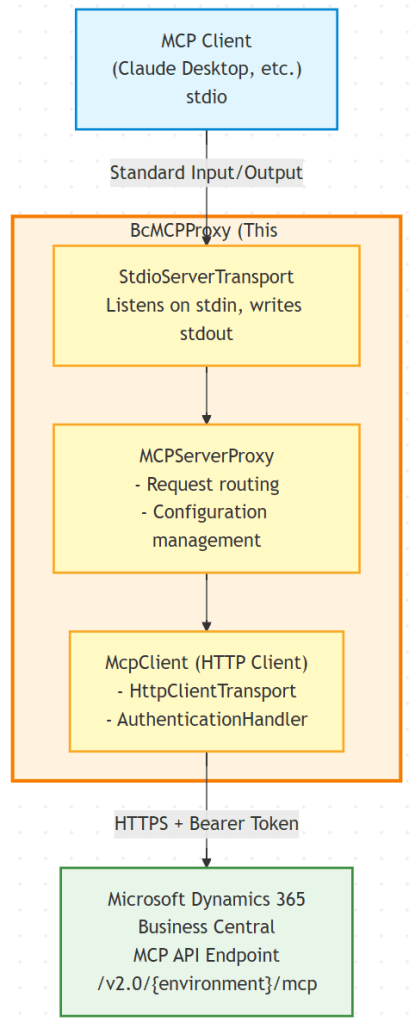
BcMCPProxy is an (unsupported) .NET project that provides a server proxy that bridges MCP clients with Microsoft Dynamics 365 Business Central’s API. It handles authentication, request forwarding, and protocol translation between standard MCP clients and Business Central’s MCP endpoints.
The original project targeted .NET 8 and it was a Windows-only application.
In the last weeks, I had the need to use this bridge, but with the following requirements:
- To support Windows and MacOS.
- To support .NET.
- No Python apps/scripts required.
I deciced to start from the original Microsoft project and rewrite part of it in order to improve the general app and in order to be cross-platform.
The improved BCMCPProxy (here called BCMCPProxy vNext) represents an evolution from the original Windows-only proof-of-concept to a more robust solution.
Improvements are the following:
- Core Architecture: Sync-over-async elimination, lazy initialization, thread safety.
- Cross-Platform Authentication: Universal Device Code Flow authentication (browser-based) with automatic code clipboard copy and browser launch on all platforms. Automatic token acquisition and refresh using MSAL with secure platform-specific caching.
- Modern .NET: Upgrade to .NET 10.0, C# 13.0, file-scoped namespaces, required properties.
- Performance: 40-67% improvements (faster at startup), process disposal, async I/O, token caching, better memory resource management.
- Security: Removed hardcoded credentials, platform-native secure storage.
- Code Quality: Separation of concerns, factory patterns, comprehensive logging.
- Error Handling: Platform-specific fallbacks, detailed error context.
The application is now rewritten using .NET 10 and using cross-patform components (supporting Intel (x64), Apple Silicon (ARM64) and ARM64 processors), so you just need to recompile the project (simple dotnet build).
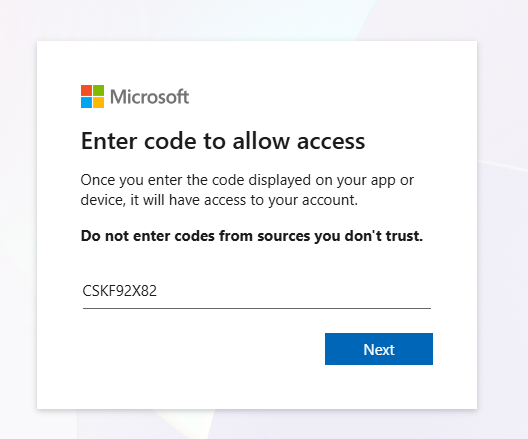
Authentication is now handled via device code flow. When configured, the MCP Proxy will ask to enter a code (automatically copied to clipboard, so you just need to paste it):
- Browser will automatically open to
https://microsoft.com/devicelogin - Device code will be copied to your clipboard automatically
- In the browser:
- Paste the code (Ctrl+V – already in clipboard)
- Sign in with your Microsoft account
- Approve the permissions
- Claude Desktop will then connect successfully
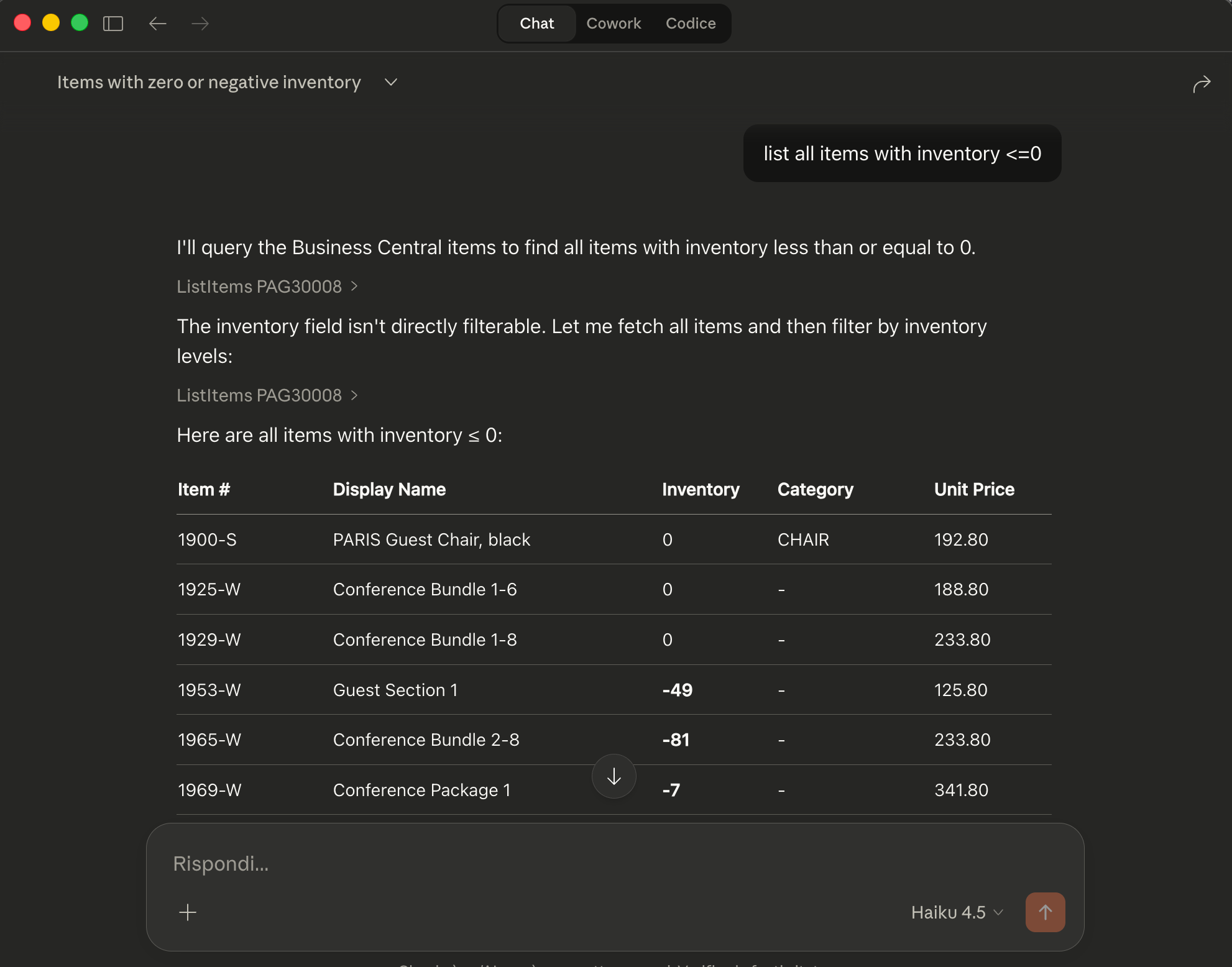
and after the authentication flow completes, you can start using the Business Central MCP in Claude Desktop:
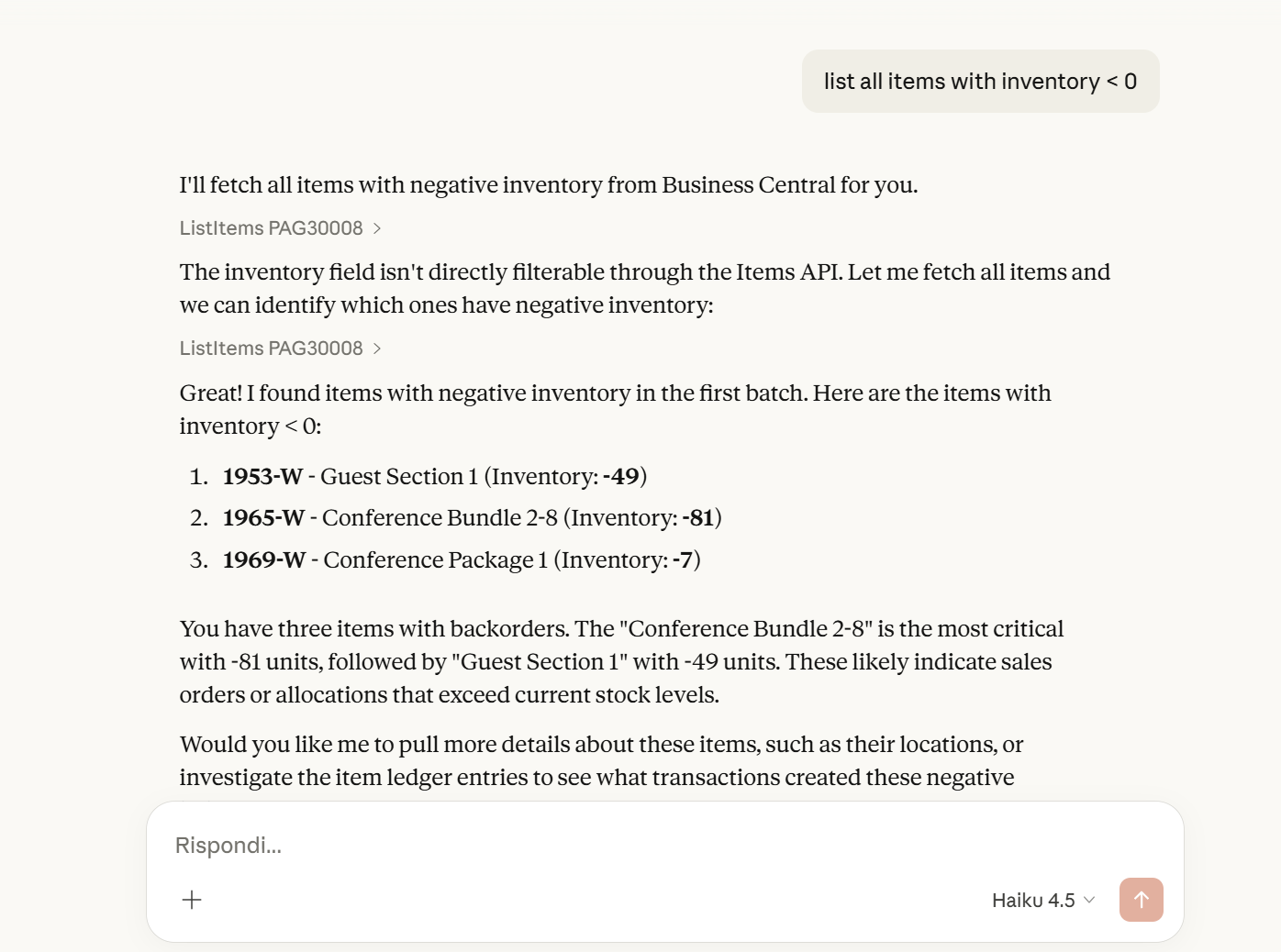
The acquired token will be cached, so you don’t need to re-authenticate always (authentication will be asked only every time the token expires or cache is cleared).
In MacOS it’s the same flow and now you can use the BC MCP Proxy also in this platform (that personally for me is a must-to-have requirement😉):
In Claude Desktop, the configuration is very easy:
"mcpServers": {
       "BC_MCP": {
         "command": "C:\\Path\\To\\BcMCPProxy.exe",
         "args": [
           "--TenantId",
           "<Your-Tenant-ID>",
           "--ClientId",
           "<Your-Client-ID>",
           "--Environment",
           "<BC-Environment-Name>",
           "--Company",
           "<Company-Name>",
           "--ConfigurationName",
           "<Your-BC-MCP-Configuration-Name>"
         ]
       }
     }
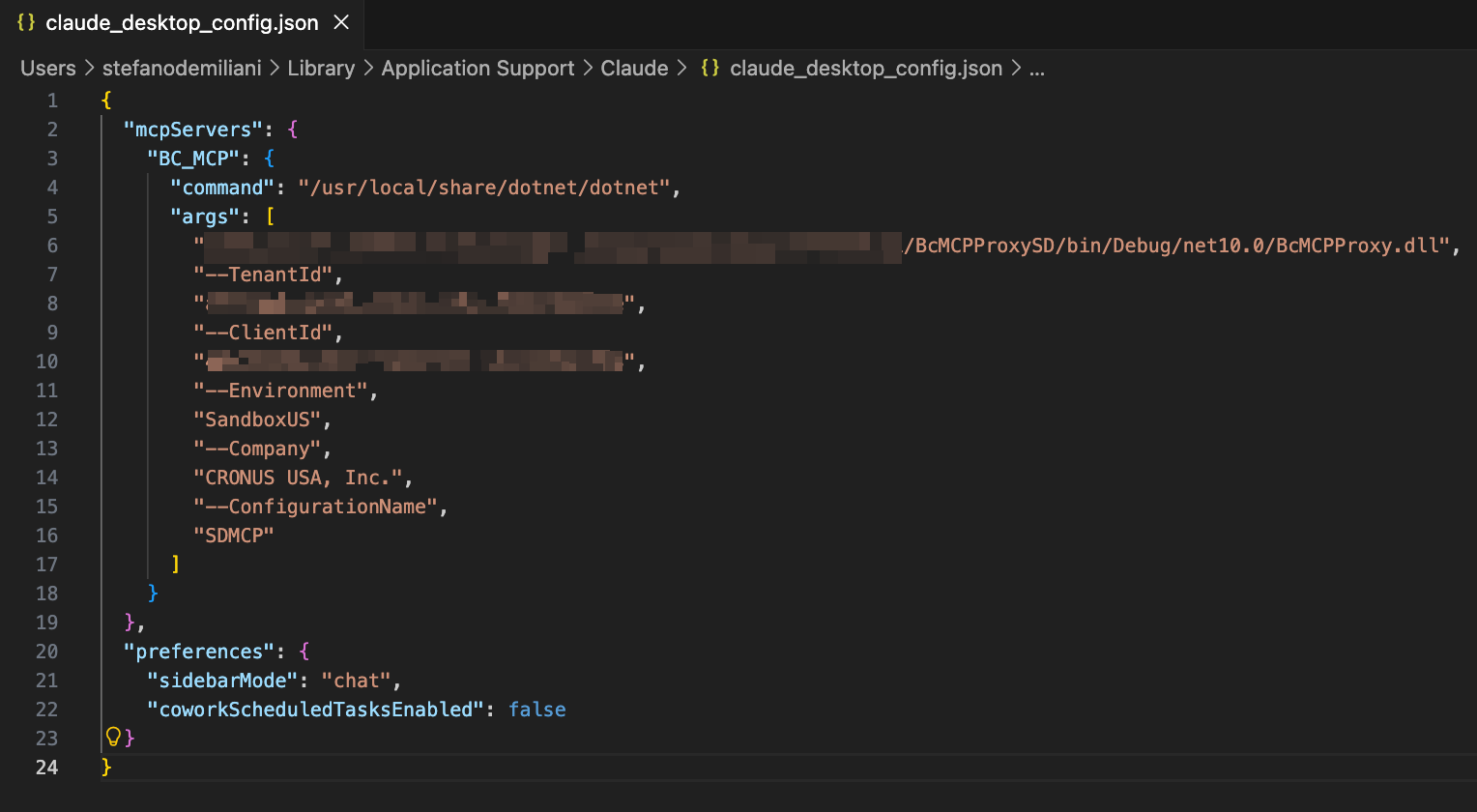
Example of configuration for MacOS:
"mcpServers": {
       "BC_MCP": {
         "command": "/usr/local/share/dotnet/dotnet",
         "args": [
           "/Users/<username>/path/to/BcMCPProxy.dll",
           "--TenantId",
           "<Your-Tenant-ID>",
           "--ClientId",
           "<Your-Client-ID>",
           "--Environment",
           "<BC-Environment-Name>",
           "--Company",
           "<Company-Name>",
           "--ConfigurationName",
           "<Your-BC-MCP-Configuration-Name>"
         ]
       }
     }
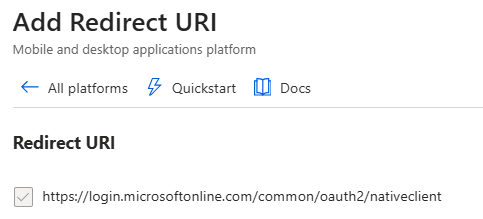
When you create the app registration in your Business Central tenant (Azure Portal), add the following Redirect URI:
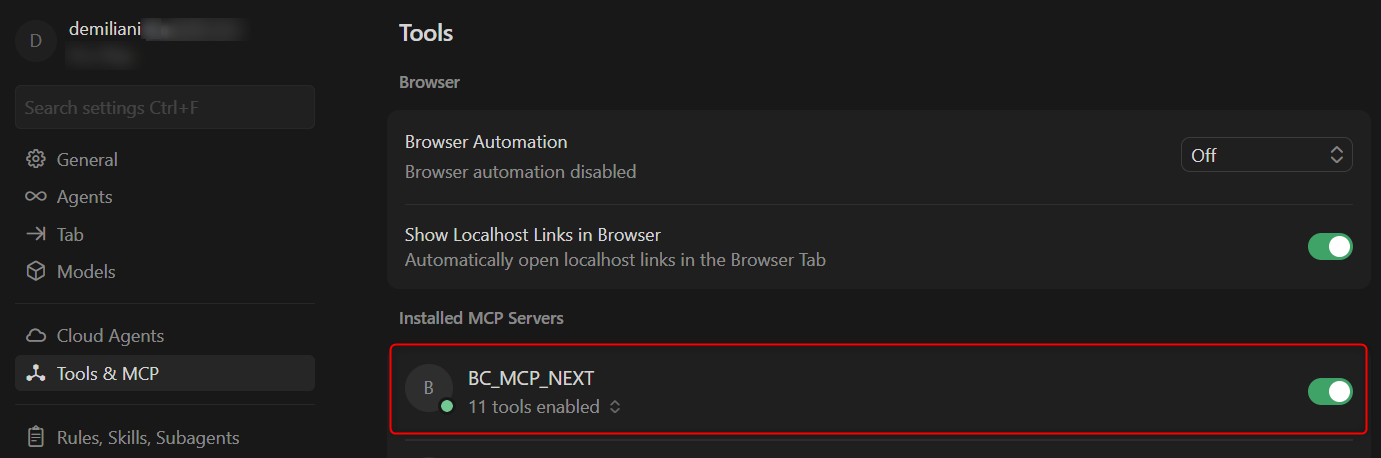
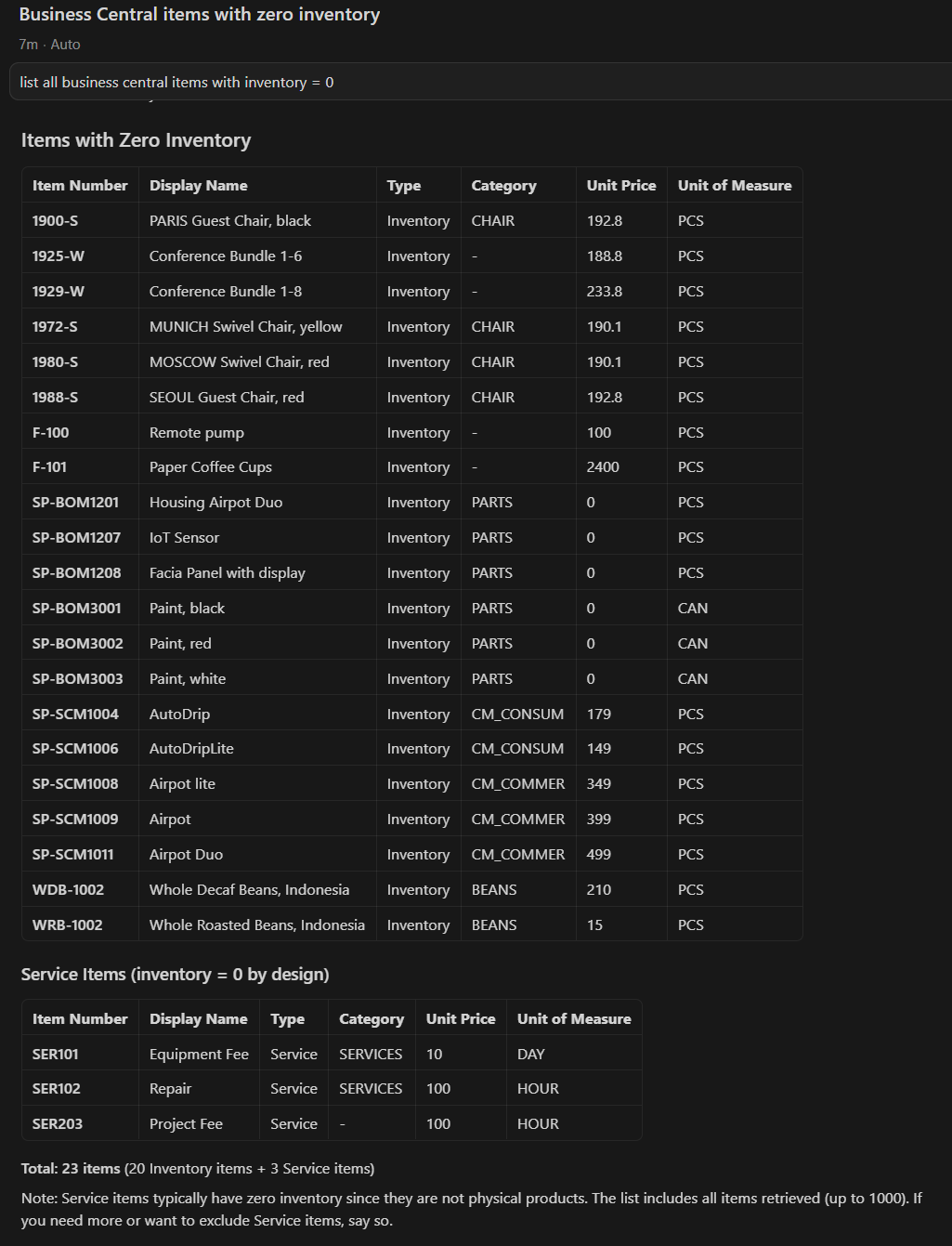
The new BC MCP Proxy can also run on other AI client tools like Cursor:
I’ve published the updated version here on my GitHub. I’ve also opened a pull request to Microsoft’s BCTech repo with the improved version.

 Stefano Demiliani