

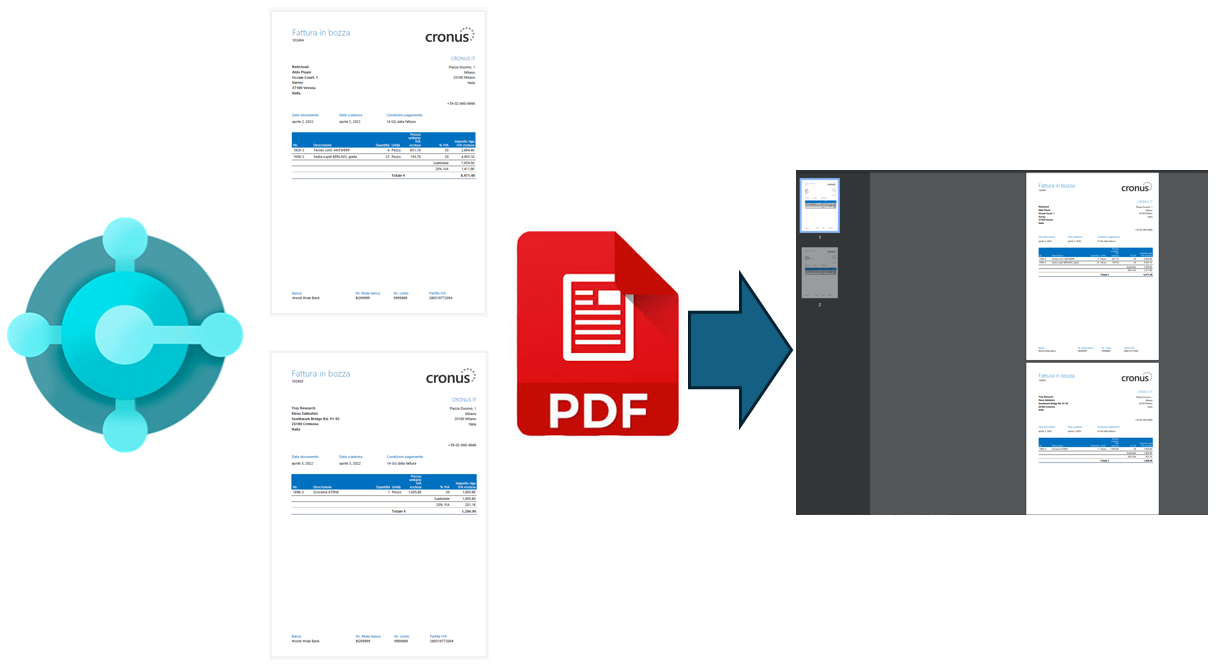
Some days ago on an internal forum (Yammer) someone posted the following request:
Is it possible in Dynamics 365 Business Central to combine multiple reports into a single PDF file?
This is a feature that Microsoft is considering for the next waves, but at the moment there’s not a native way to do that.
On that post, I promised to share a solution that I’m currently using and here it is.
The solution is an Azure Function (.NET Isolated with free and open source library) that permits you to pass a JSON array of documents to merge (Base64 format) and gives you as output a merged PDF document (as Base64).
Full source of the Azure Function is available on my GitHub here.
You can call the Azure Function directly from AL code in Dynamics 365 Business Central by using a POST request like the following:
POST  YOURFUNCTIONURL/api/MergePDF
Content-Type: application/json

[
 {
   "Name": "Invoice102404.pdf",
    "Base64Content": "BASE64CONTENT_DOCUMENT_1"
 },
 {
   "Name": "Invoice102405.pdf",
    "Base64Content": "BASE64CONTENT_DOCUMENT_2"
 }
]
where Name is the name of the report and Base64Content is the Base64 content of the report PDF stream.

The output of the Azure Function will be a Base64 string containing the content of the merge of the PDF files you have passed as input:

The demo here sends to the Azure Functions two sales invoices from Business Central:


and the output is a single file containing the merge of the two documents:

Considerations
The Azure Functions works fully online and in-memory on the App Service and permits you to merge different PDF files into one.
If you need to merge a really big number of files and/or files with a very big size, it’s absolutely better to refactor the code to use the Azure Blob Storage as repository. So:
- From Business Central (or from your source of the PDF files), save the report’s PDF files to an Azure Blob Storage container.
- Pass to the Azure Function a JSON containing a list of files that need to be merged.
- In the Azure Function code, retrieve the files from the Azure Blob Storage container, merge them and save the output file (result of the merge) to the Azure Blob Storage container again.
- Download the file from the container.
The code in the Azure Function is provided “as is” and can be absolutely improved.
If you want, feel free to add pull requests to the repo.

 Stefano Demiliani
This is nice. As I am not really into Azure functions, I have a suggestion for optimizing this. Back in the old days we wanted to merge a document with a custom background after appending each pdf file and we also used pdfsharp for this. As it is in the repo maybe you could implement this as well.
We used these dotnet assemblies for that purpose: PdfSharp.Drawing.XImage, PdfSharp.Drawing.XGraphics and PdfSharp.Drawing.XGraphicsPdfPageOptions as something like this:
Set background file to XImage. Prepend this file using XGraphicsPdfPageOptions to the XGraphics.FromPdfPage function combining it with the documents.
C/AL example://Get Background image: XImageBackground := XImageBackground.FromFile(BackgroundFileName);
//Prepend to the Pdfdocument you already have:XGraphics := XGraphics.FromPdfPage(PdfDocument, XGraphicsPdfPageOptions.Prepend)
//Merge it together:XGraphics.DrawImage(XImageBackground,0,0)
I have no idea if this is even possible using Azure functions but it would be a nice feature to have.
LikeLike
Thanks for the suggestion. Adding the possibility to also add a custom background could be an interesting addition. I will check for adding that.
LikeLike
Also a good alternative to ease up the development process is to use a third party tool like ConvertAPI: Powerful File Conversion API for Developers & Businesses
LikeLike