

On 31 August 2024, Microsoft will retire the Cloud Services (classic) deployment model (the announcement was made by Microsoft in March 2022). Before that date, you’ll need to migrate your services that were deployed using this model to Cloud Services (extended support) in Azure Resource Manager, which provides new capabilities, including:
- Support for deployment templates.
- Role-based access control.
- Regional resiliency.
Because classic storage accounts are dependent on Azure Cloud Services (classic), they’ll be retired on the same date. Before that date, you’ll need to migrate them to Azure Resource Manager, which provides the same capabilities as well as new features, including:
- A management layer that simplifies deployment by enabling you to create, update, and delete resources.
- Resource grouping, which allows you to deploy, monitor, manage, and apply access control policies to resources as a group.
After August 31, 2024, you’ll no longer be able to manage data in your classic storage accounts through Azure Service Manager. The data will be preserved but it’s highly recommend migrating these accounts to Azure Resource Manager to avoid any service interruptions.
How can I migrate from classic to ARM?
In the Azure Portal, you can see your storage accounts that need to be migrated by selecting Storage Accounts (classic):

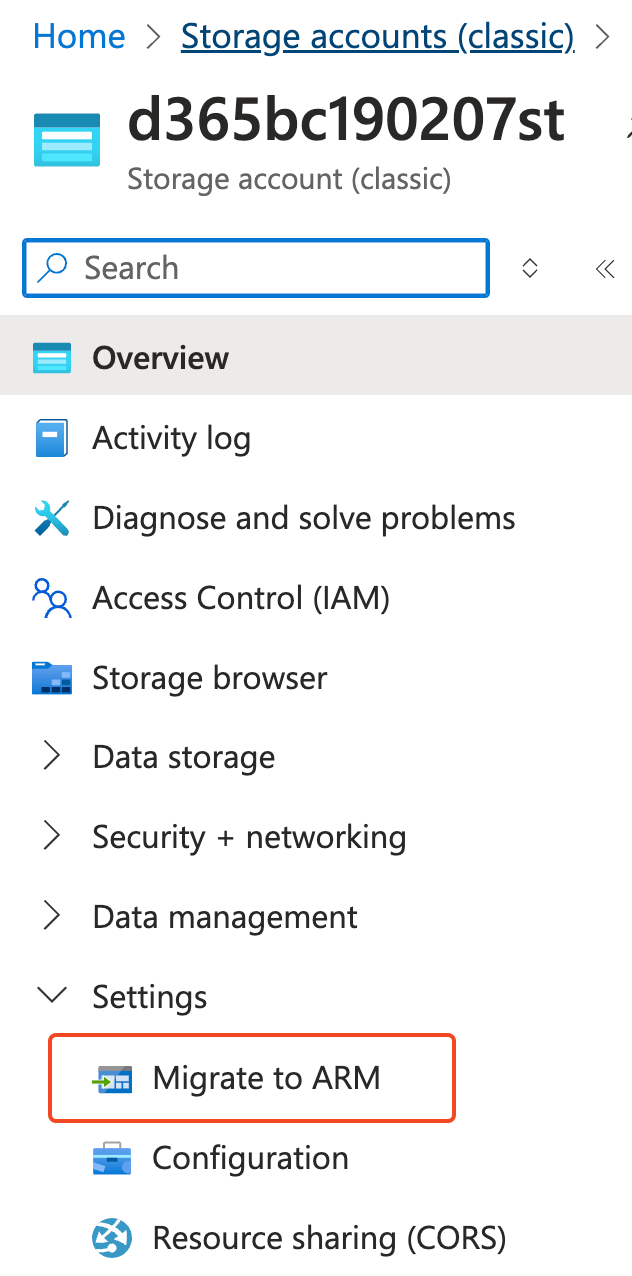
Select your classic storage account, then click on Settings and select Migrate to ARM:
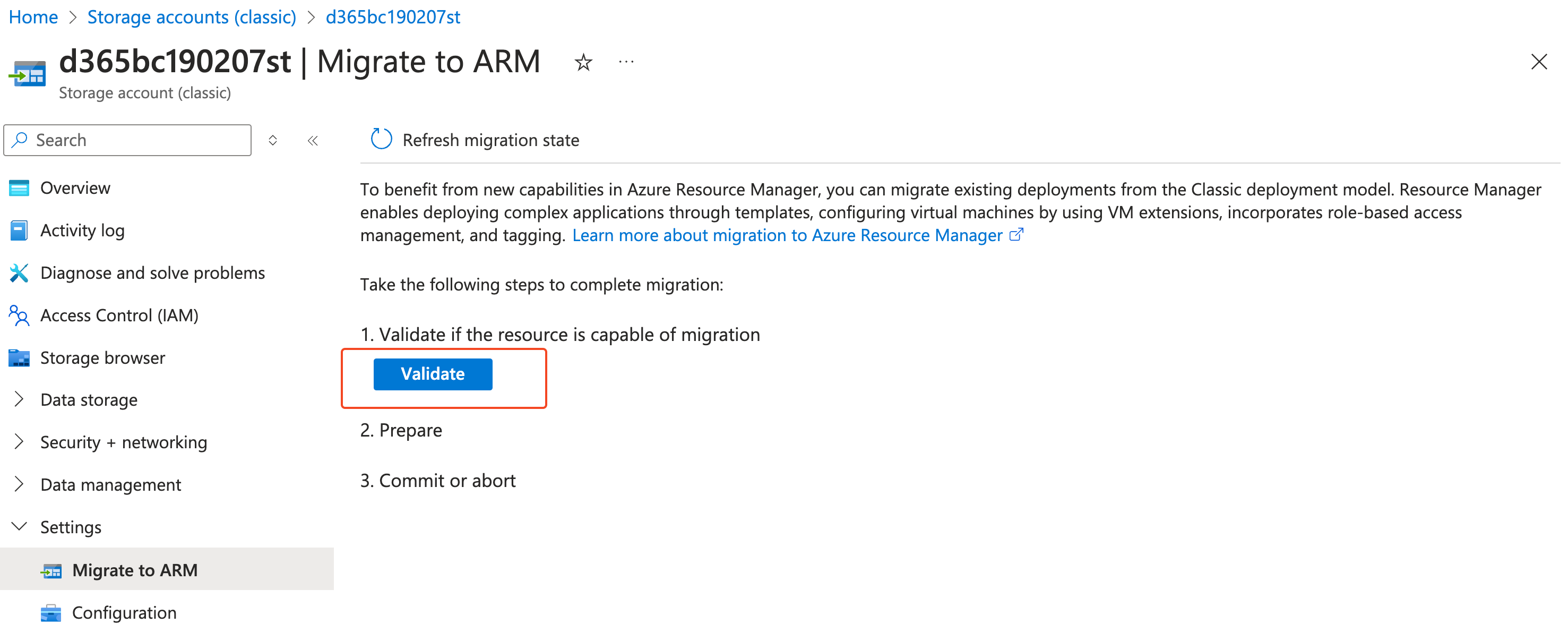
In the Migrate to ARM window, click on Validate to determine migration feasibility:
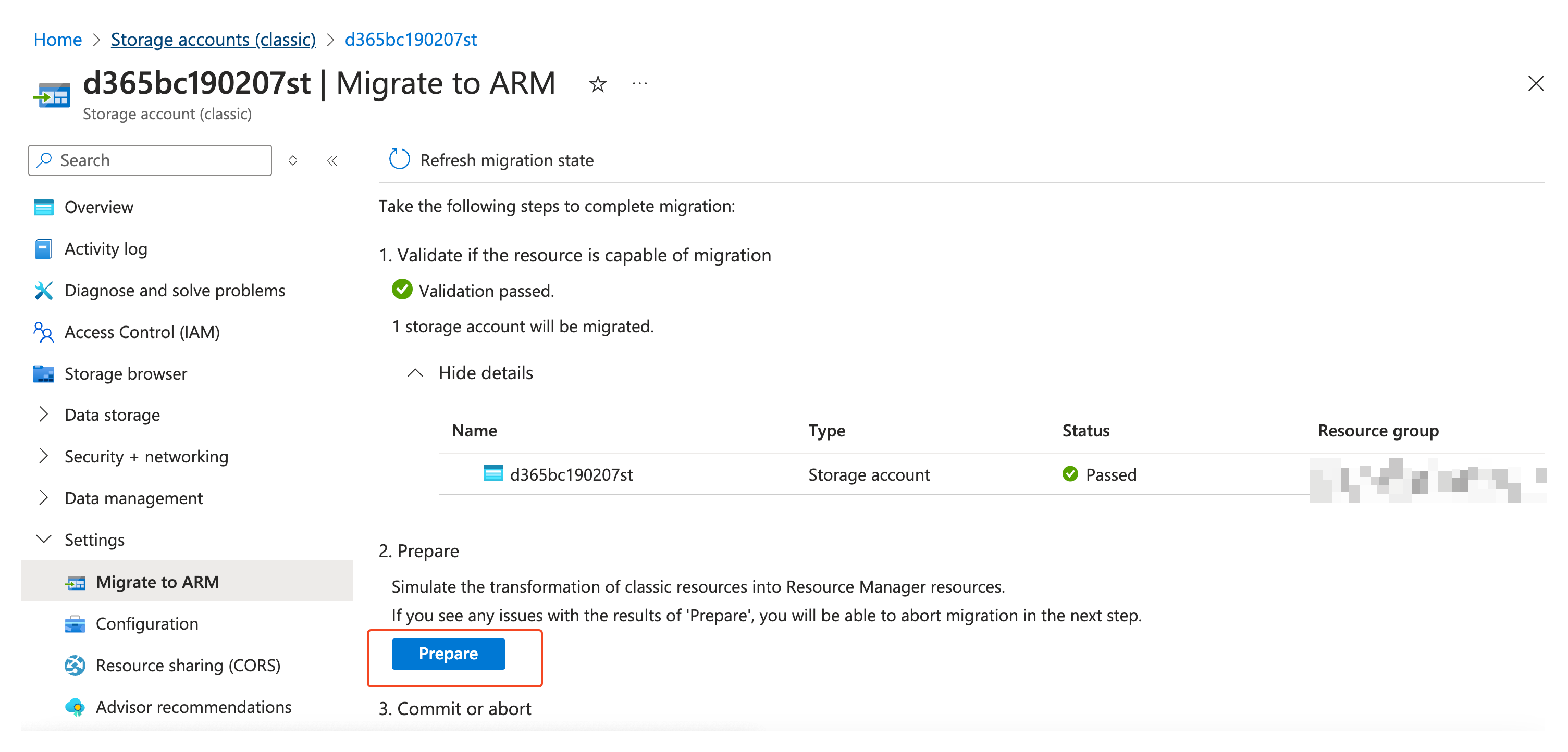
When the validation is passed, click on Prepare to create a migrated storage account (the Prepare button will be enabled after some seconds before the validation):
Type yes to confirm migration and click Commit to finish the migration:
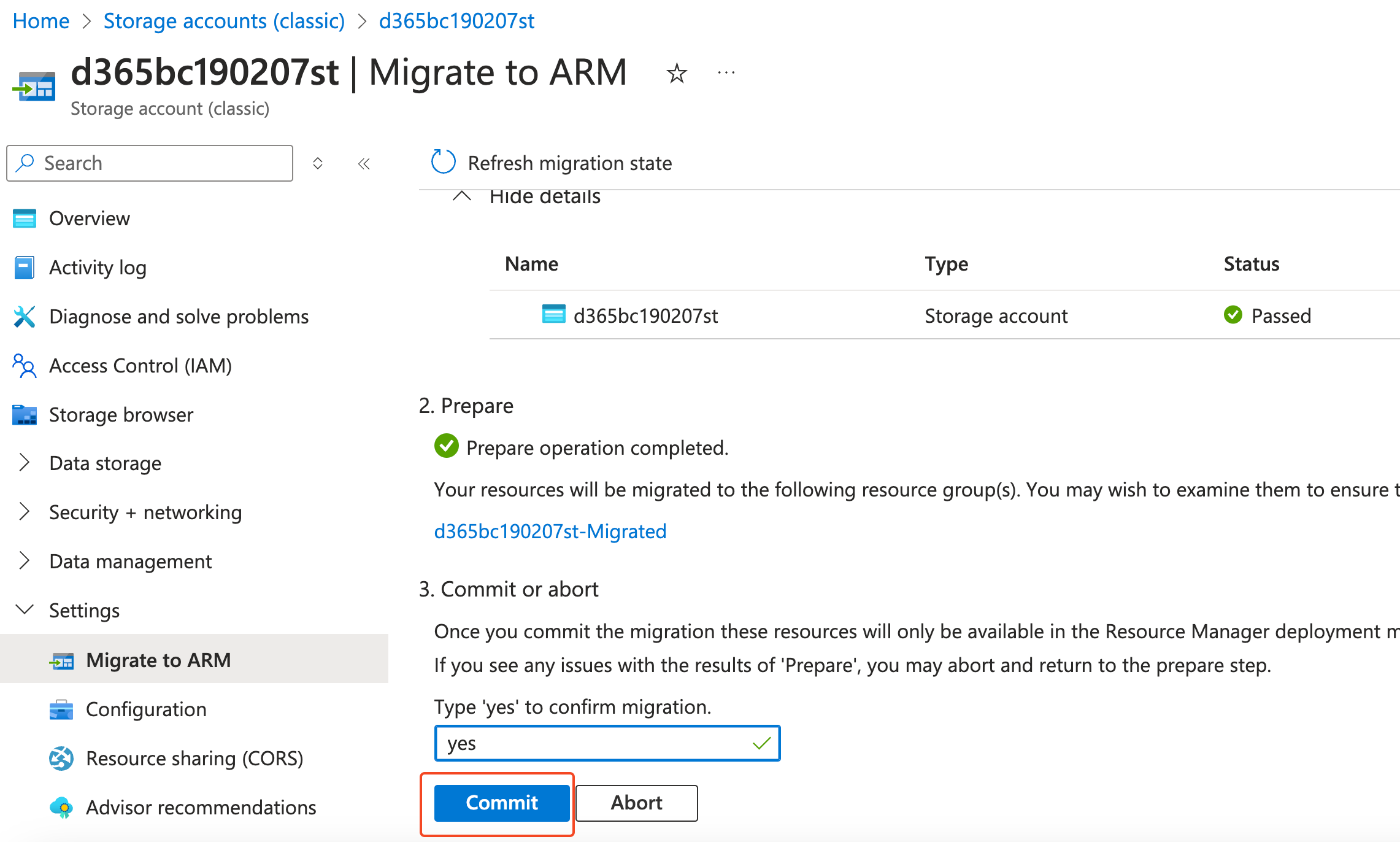
Committing the migration permanently deletes your classic storage account (when migrated successfully).
The migration process will take some minutes:
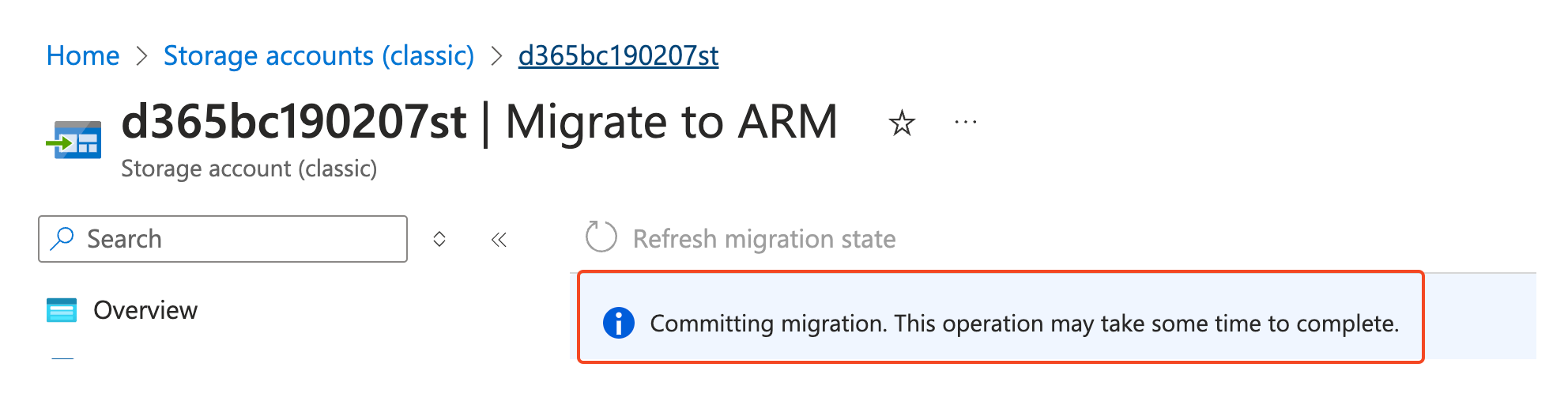
During the migration process, Azure creates a new resource group as the classic storage account. The name of the new resource group follows the pattern <classic-account-name>-Migrated. The migrated storage account will be in the same region as the classic storage account.
At the end of the process you will have your storage account updated to the new ARM model:

Please note that your storage account will be a general-purpose v1 account after the migration process completes. You can then upgrade it to general-purpose v2 (recommended).
It is not possible to select the name of the resource group that is created for a migrated storage account. After migration is complete, however, you can use the move feature of Azure Resource Manager to move your migrated storage account to a different resource group.
Please also note that the account keys aren’t changed or rotated during the migration. You don’t need to regenerate your account keys after the migration is complete. You won’t need to update connection strings in any applications that are using the account keys after the migration.

 Stefano Demiliani