

This is a very quick post, borned from a training I had today with a partner. When showing a demo related to integrating some Azure services into Dynamics 365 Business Central, I opened (without thinking) an AL extension with the following symbols package structure:

My package cache folder (.alpackages) has two subfolders, one called Microsoft (containing the Microsoft’s symbols) and another called Dependencies (containing the dependencies for the current app). Microsoft and Dependencies are two subfolders created by me, not some predefined folders. This is just a preference I have on organizing symbols when I have different dependencies (Microsoft apps, apps coming from my group or and/or apps coming from third-party ISVs).
Some attentive observers immediately raised a question: how were you able to create subfolders for symbols?
With AL Language extension version 13, you cannot create subfolders for symbols in the .alpackages folder. All must be placed in the root folder, otherwise symbols will be not correctly loaded:
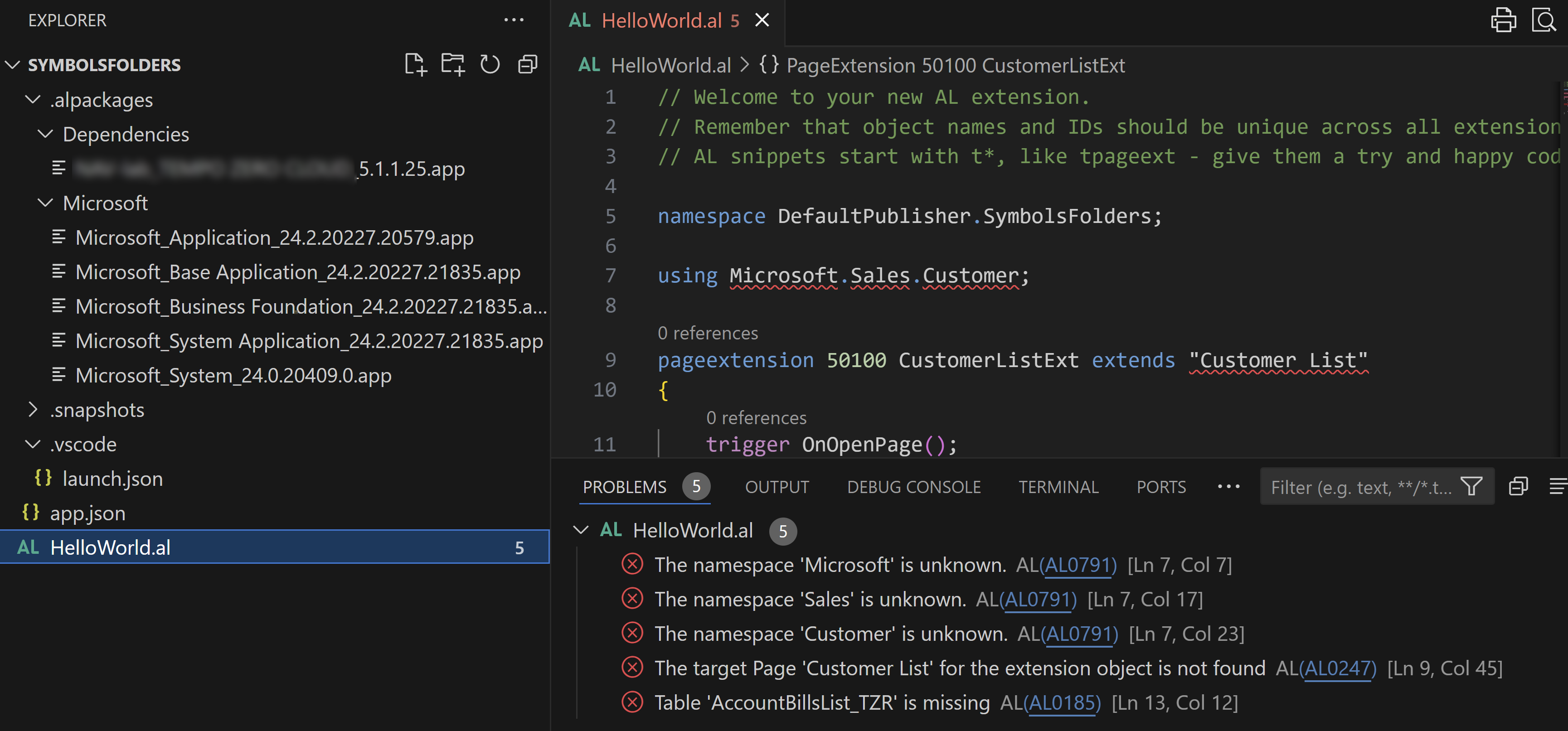
But things changes with AL Language extension version 14. AL Language version 14 supports subfolding symbols into the .alpackages folder:

This means that now you can organize your symbols into subfolders as you want in your AL project and this will be useful also when downloading symbols from sources like NuGet.
I personally love this… and you?

 Stefano Demiliani