


Yesterday Microsoft announced the public preview of Microsoft Copilot for Finance, the newest Copilot offering designed for business functions that extends Microsoft Copilot for Microsoft 365 and revolutionizes how finance teams approach their daily work. Copilot for Finance joins Copilot for Sales and Copilot for Service, now generally available, to provide AI-powered, role-based workflow automation, recommendations and guided actions in the flow of work.
To get started with the new Copilot for Finance public preview, you can visit the following page: aka.ms/CopilotforFinancePreview.
When enabled for your user or your oganization, you can open Excel and find your Copilot for Finance add-in under Home tab > Get Add-ins > Admin-managed > Copilot for Finance for Microsoft Excel (Preview):

Click on the add-in and then enable it. When enabled, a new Copilot for Finance (Preview) tab appears on your Excel sheet:

Copilot for Finance is in a first stage and actually exposes only the Reconcile data feature:
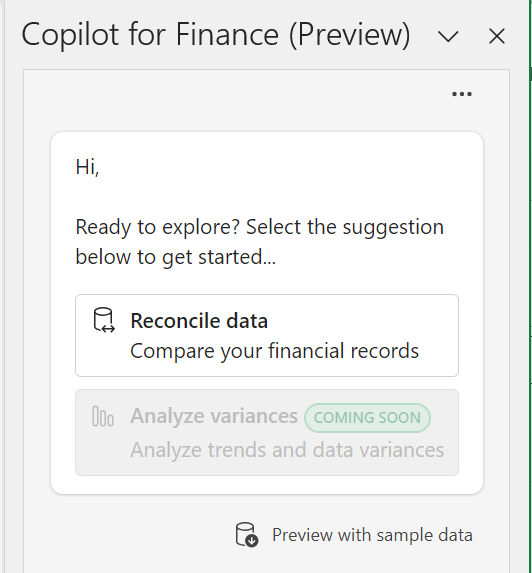
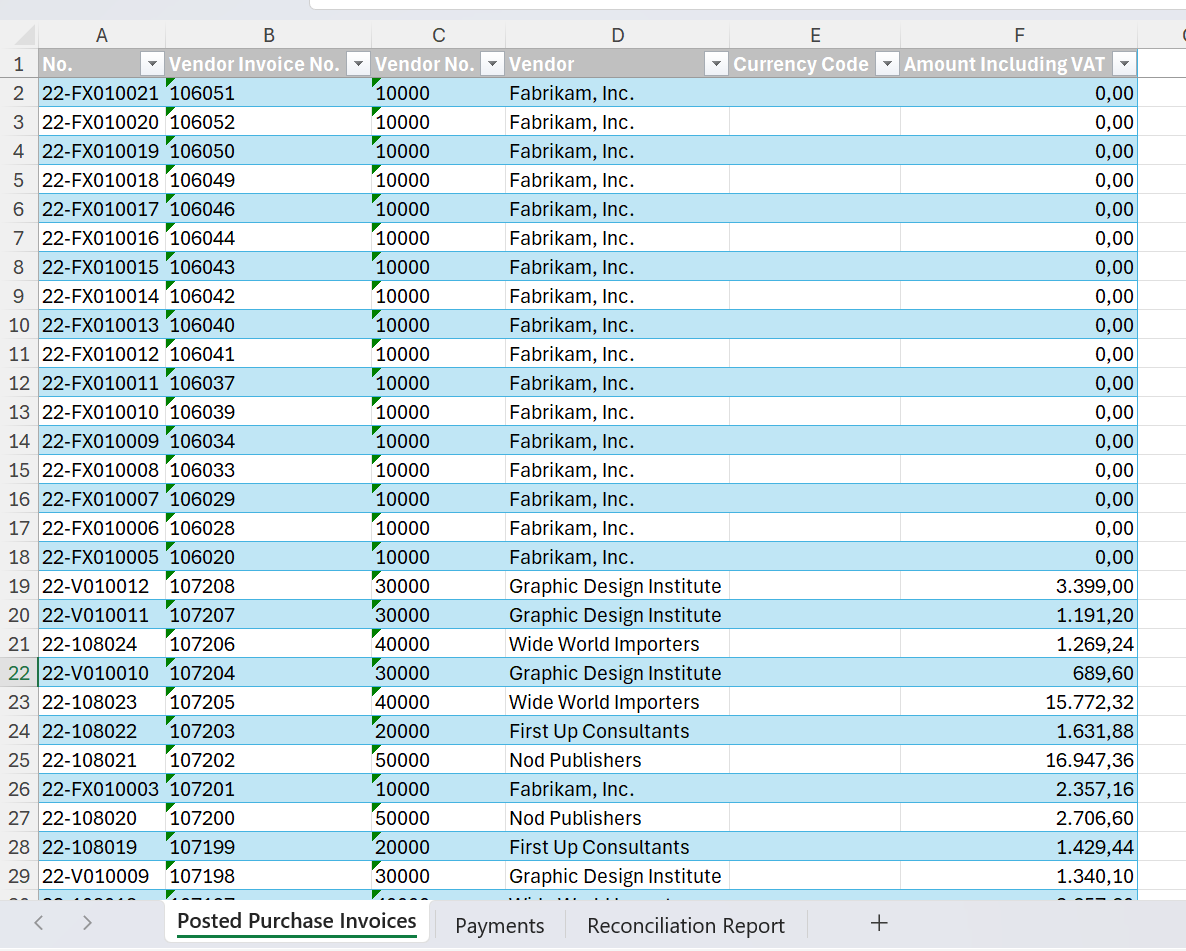
This feature is useful if you want to do quick data reconciliations. To show how it works, I’ve created an Excel sheet connected to Dynamics 365 Business Central data. In a first sheet I have the list of the Posted Purchase Invoices:
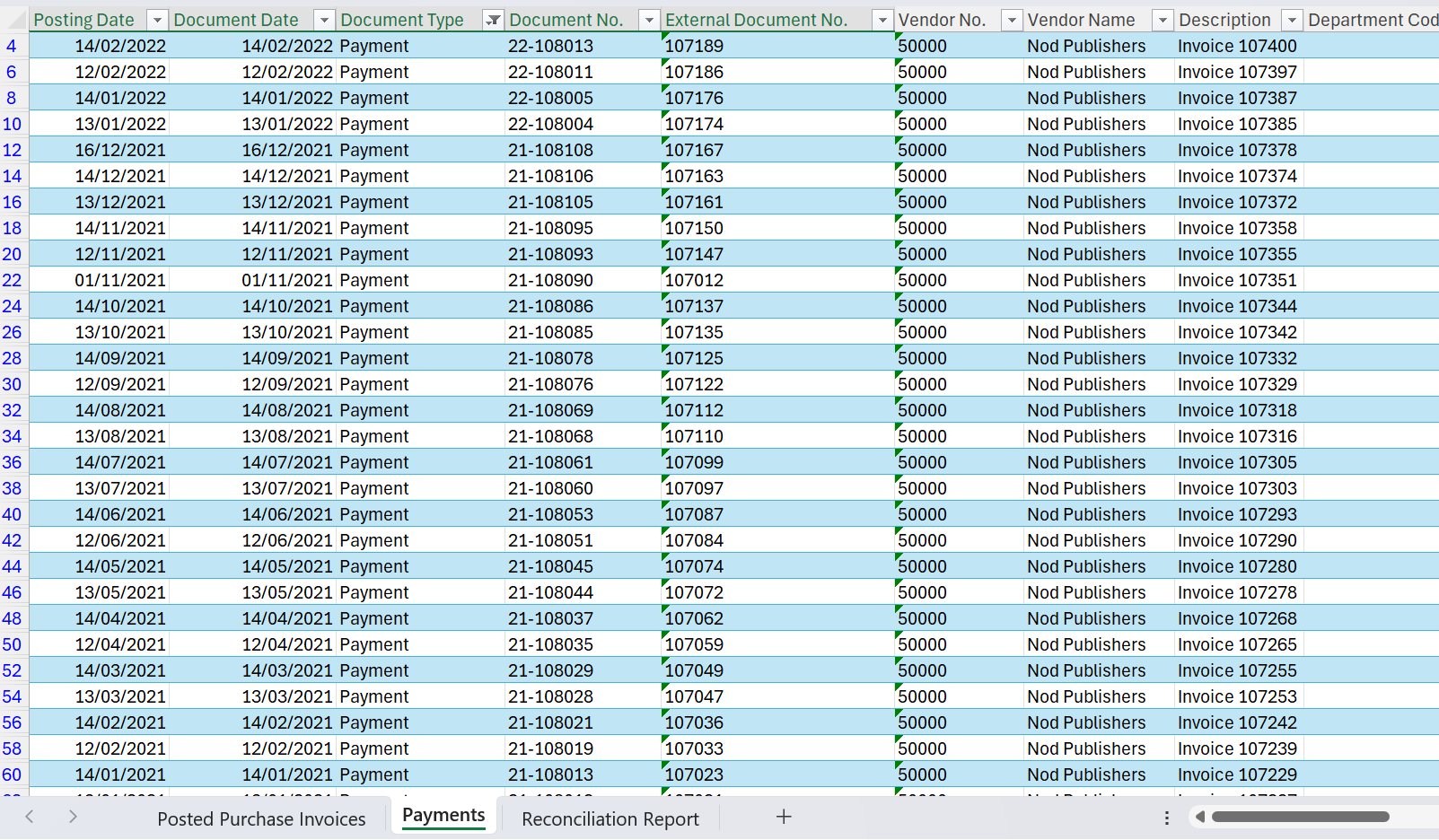
and on the other sheet I have the list of the payment details received from the bank:
I can now open Copilot for Finance and click on Reconcile data. Copilot for Finance asks to select the two worksheets and the two tables that contains data to reconcile:

When you click on Next, Copilot for Finance analyzes your data and then suggests the columns for each table that are involved in the data reconciliation (the AI-driven analysis of data structures suggests reconciliation rules). You can keep the suggestion (if it’s ok), regenerate it or discard it:
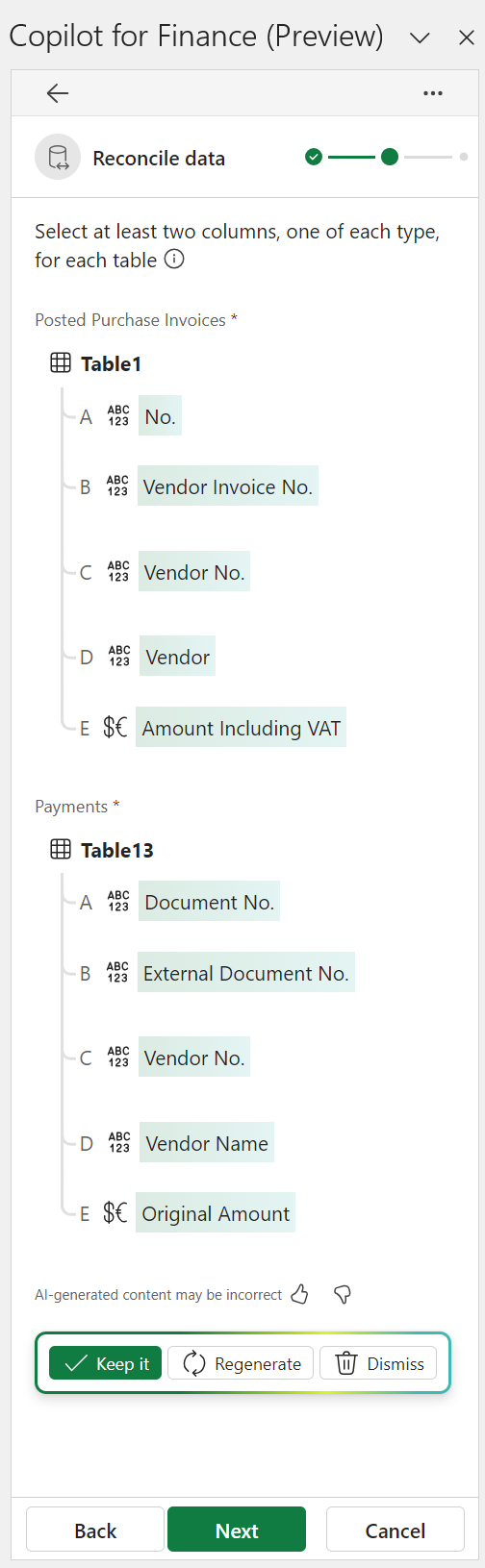
When you keep the suggestion and click on Next, a reconciliation report is generated from the data:
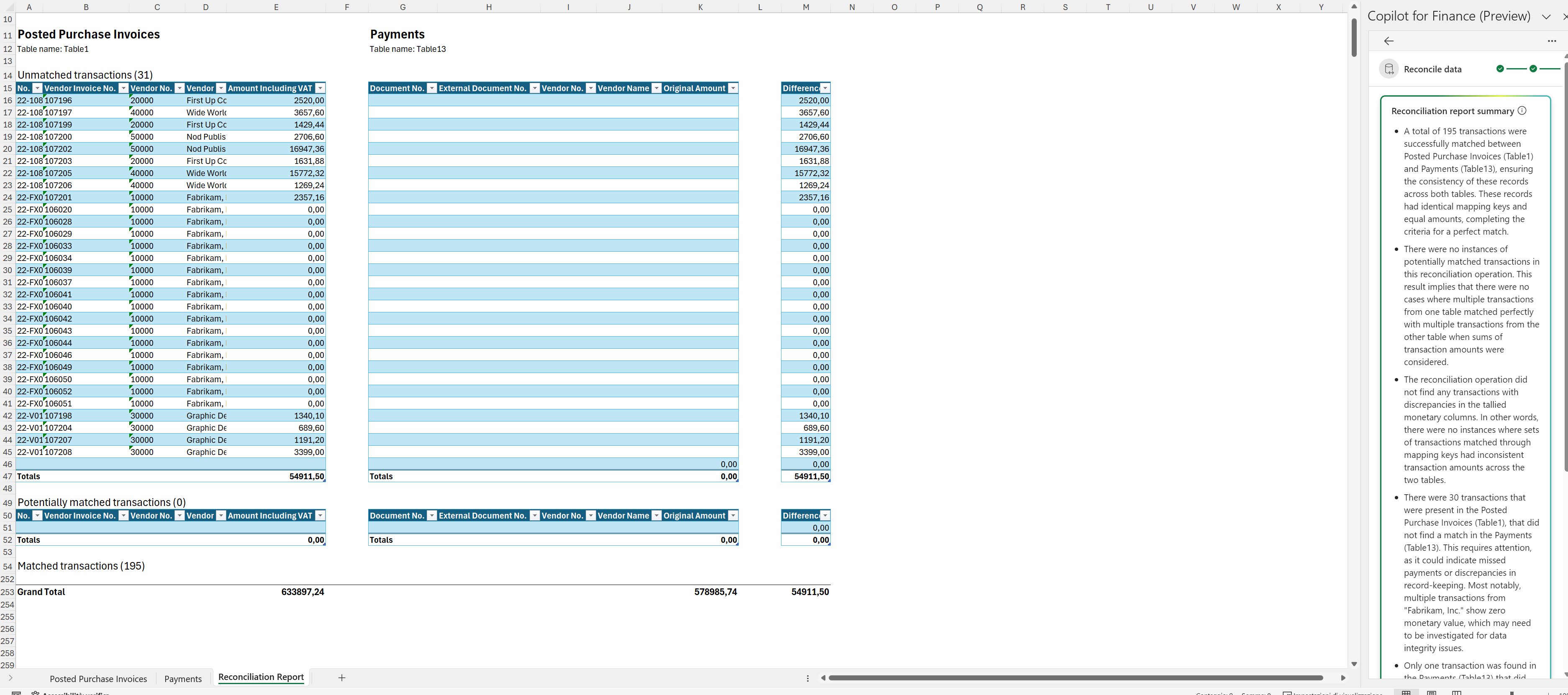
Copilot for Finance has matched posted invoices with their related payments using AI. In my case there are 195 invoices that matches with the payments and 31 invoices where transactions with payments don’t match (unpaied invoices). The reconciliation report categorizes transactions into unmatched, potentially matched, and perfectly matched transactions.
Copilot for Finance gives also a Reconciliation report summary, explaining all the details in a more formal way, where Generative AI analyzes reconciliation results and provides insights and suggestions for addressing inconsistencies.
Copilot-created content (for example, email summarization, suggested email responses, and analysis summaries) is currently provided only in United States–based English (En-US). Additional languages and regions will be supported in future releases.
Please remember that this is an early preview release, and preview features aren’t meant for production use and may have restricted functionality. These features are available before an official release so that customers can get early access and provide feedback.

 Stefano Demiliani