

In the past I talked about the possibility to monitor the availability of a Dynamics 365 Business Central tenant (or any other web resource) by using URL Ping Tests with Azure Application Insights. You can see the post at the following link.
This type of availability test is also useful when using Azure Functions to avoid the cold start of a consumption instance, like explained in this post.
If you’re using URL Ping Tests with Azure Application Insights, now there’s a change you need to be aware of.
On 30 September 2026, the URL ping test capability of the application insights feature of Azure Monitor will be retired and ping tests will be removed from your resources. Before that date, you’ll need to transition to using standard tests, which also provide:
- SSL certificate validity
- Proactive lifetime check
- HTTP request verb (such as GET, HEAD, POST)
- Custom headers and custom data associated with HTTP requests
A Standard test is a type of availability test that checks the availability of a website by sending a single request. In addition to validating whether an endpoint is responding and measuring the performance, Standard tests also include SSL certificate validity, proactive lifetime check, HTTP request verb (for example, GET,HEAD, and POST), custom headers, and custom data associated with your HTTP request.
From the Azure Portal, now the new way to create availability tests with Azure Application Insights is by selecting Availability and then Add Standard Test:

Here you can select the url to monitor (for example your Dynamics 365 Business Central environment url, like Production):

And then you can select the location (region) from where to execute the availability tests:

Click Create and your availability test will be created. After some minutes, you can start exploring the results as before (and receive alerts on failures):
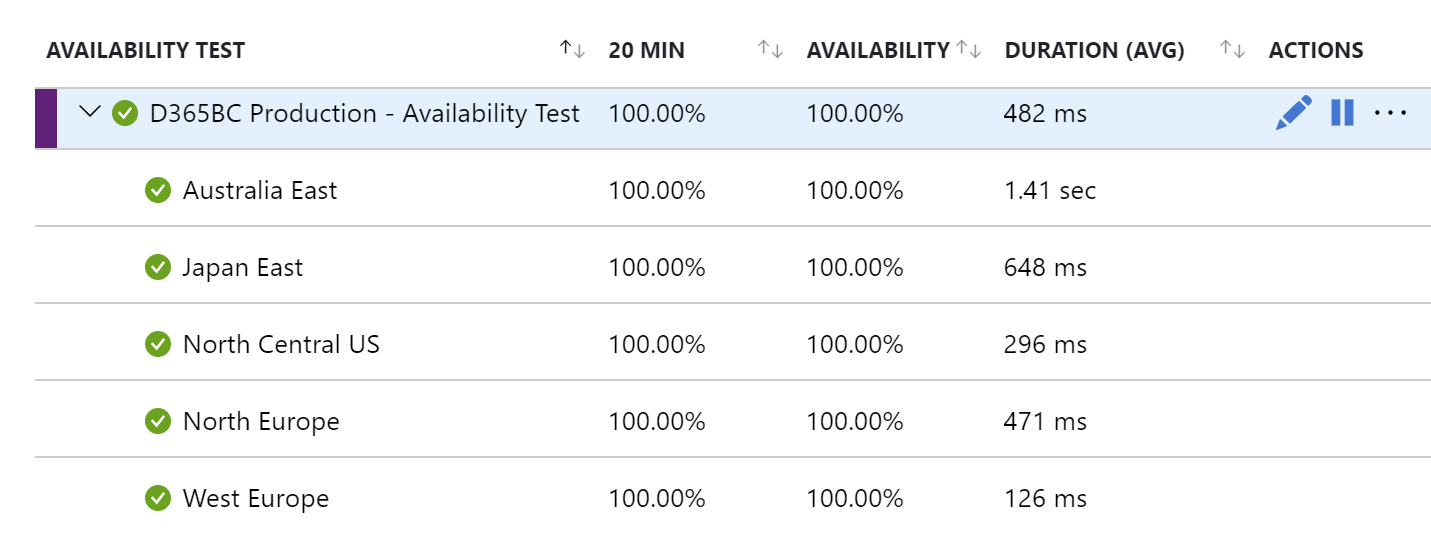
If you’re using Azure Application Insights availability tests, you need to check if you have old tests in place and, if so, recreate or migrate them to the new Standard Tests.
I wrote this Powershell script to discover if in your Azure subscription you have availability tests created with the old model:
$resourceGroups = Get-AzResourceGroup | select -ExpandProperty resourcegroupname
foreach ($resourceGroup in $resourceGroups)
{
    Get-AzApplicationInsightsWebTest -ResourceGroupName $resourceGroup | `
    Where-Object { $_.WebTestKind -eq "ping" };
}
The script loops through all Resource Groups and checks for the presence of the old style availability tests. If these are present, it lists them.
Microsoft as also provided an automatic migration script (from old tests to new Standard tests) that you can find at the following link.

 Stefano Demiliani