

When working with data connections in Power Apps, you can have “implicitly” or “explicitly” shared connections to external resources.
An explicitly shared connection means that the end user of the application must authenticate to the back-end data source with their own explicit credentials. Usually this authentication happens behind the scenes as part of Azure Active Directory or Windows authentication handshake. The user doesn’t even notice when the authentication takes place. Explicitly shared connections are the most secure.
Lotf of Power Apps applications I see every day uses implicitly shared connection to connect with resources like for example Azure SQL, SQL Server or other external data sources. An implicitly shared connection means that the user implicitly uses the credentials of the account that the app maker used to connect and authenticate to the data source during while creating the app. The end user’s credentials are not used to authenticate in this case. Each time the end user runs the app, they’re using the credentials the author created the app with.
An implicitly shared connection is the least secure. It has the all of the risks associated with a connection made directly to a server on a service. In particular, you cannot rely on filtering commands to be secure and even the name of the database and other details can be discovered.
But now something changes…
Power Apps now has full preview support for Secure implicit connections, now turned on by default on all new data connections.
With this feature, connections are no longer directly shared with the Power Apps users. Instead, a proxy connection object that only grants access to the underlying resource (such as a specific SQL server table) is shared. End user authors can’t create new applications with either the connection or the proxy connection. This feature also limits the end user to such actions as get, put/patch, and delete that are defined in the corresponding app. The result is that end users who are also authors can’t create new applications with either the connection or the proxy connection object.
To enable secure implicit connections for an existing app, open the app in edit mode and on the command bar, select Settings and then Upcoming features. Then in the Preview tab, set the toggle for Secure implicit connections to On:
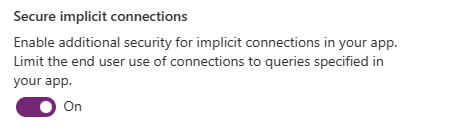
Then save and publish the app again.
If you have applications that may be upgraded to use this feature then you’ll see a message on the Apps page. It indicates the number of apps that need your attention:

You can then go in each of the listed app to change the connections.
When your app is republished and shared, then end-users won’t have access to the connection but will work with the hidden proxy connection. They won’t be able to create a new app based on your original connection.
In summary, with secured implicit connections:
- The connection is no longer distributed with the application. The app talks to a proxy connection that is created for the application. Other end-user authors no longer have access to the connection used in the app.
- The proxy connection will only communicate with the app for which it was created.
- An app published with secure implicit connections will only allow queries that are defined in the app. It won’t accept any other queries.
This feature helps on improving the security of your apps, so it’s highly recommended to adopt also for your existing apps.

 Stefano Demiliani